
15 AI Automation Examples UK Businesses Are Actually Using in 2026
On average, a UK business spends almost 40% of working hours on repetitive tasks, when AI automation can help handle these tasks more swiftly by taking over the parts that do not require judgment. Some common AI automation examples are meeting notetakers, live AI chatbots, resume screening, etc. Traditional automation ran on some fixed rules, like if this condition is met, then do this thing (e.g., a form submission triggering an email); while the AI automation adds an interpreting layer.
Artificial Intelligence systems do not wait for an exact match; they decide and work according to your set boundaries. Let me clear this up for you with an example: a rule-based email filter moves anything with the word “invoice” into a folder, AI automation reads the email, classifies whether it is an invoice from a supplier, an invoice query from a client, or a marketing email using the word “invoice”. Each one is routed differently, and a reply is drafted where applicable.

15 AI Automation Examples in Real Life Businesses
Operations & Admin
1. Invoice and document processing
An AI automation example is handling of invoices; when an invoice email is received, AI reads the document, pulls the supplier name, amount, items, and due date, matches it against existing purchases, flags contrasts, and logs the entry into the accounts. Only the exceptions reach the staff, reducing the processing time upto 80% for businesses processing dozens of invoices weekly.
2. Meeting notes and action-item generation
A summary of a meeting is sent by an automated email, with the agenda and action items assigned to named attendees and deadlines attached. The automation connects a transcription tool to an AI that processes the transcript, extracts decisions and tasks, and pushes the output to the relevant workspace: Notion, Asana, ClickUp, or a shared document. Quality depends on how clearly action items are stated during the meeting.
3. Internal knowledge assistant
An internal knowledge assistant connects to your documents, policy files, and internal wikis, and answers staff questions in plain language with a source reference. It helps reduce the number of interruptions to senior staff and speeds up onboarding. Trigger here is a question in Slack or a dedicated interface; the action is a retrieval-augmented response drawn from the connected knowledge base.
Customer-Facing
4. Customer support ticket triage
When a support inbox receives hundreds of messages daily, the first bottleneck is sorting. AI triage reads each incoming ticket, classifies it by type and urgency, routes it to the right team or agent, and in many cases drafts a suggested reply. Response times drop, and resolution rates improve without adding headcount.
5. AI-powered live chat handling
Live chat AI automations handle multi-turn conversations, retain context within a session, and escalate to a human when the conversation reaches a point where resolution requires account access or discretion. For e-commerce businesses, this means queries about order status, delivery windows, returns, and product specifications are handled without agent involvement. For service businesses, it handles qualification questions and appointment booking. Human agents receive a handoff summary when they take over, so the customer does not have to repeat themselves.
6. Social media message management
AI automation monitors incoming messages across high-volume social platforms, classifies them by type (complaint, question, compliment, spam), drafts responses for straightforward queries, and flags anything requiring a human response with a suggested reply. Trigger is an incoming message; the action is classification, and a drafted response. Moderators approve or edit, typically reducing response time and load on management teams.
AI Marketing Automation Examples
7. Lead qualification and CRM updates
AI automation pulls data through form submission, website behaviour or social profile; checks the quality of the lead, assigns a score, records in the company data, and routes the lead to the right rep with a summary. Lower-scoring leads automatically enter a nurture sequence, and CRM fields are populated without manual entry. The result is faster follow-up on high-value leads and no qualified leads falling through the gaps.
8. Outbound email personalisation at scale
AI automation makes volume one-to-one personalisation possible by adding specific references into each email. The structure stays consistent; the changes are made to the opening line, the relevant use case and the specific pain point of each individual. This requires clean input data and a reviewed template, but the personalisation layer is handled automatically.
9. Content repurposing across channels
AI automation takes a single source piece and produces reusable content: various social posts for the platforms, a short email version, pull quotes, and a summary for a newsletter. Source content is the trigger; AI processes it, applies the format rules for each output type, and produces a set of drafts ready for review. Teams that were publishing once a week from a single piece of content can now publish across five channels from the same input.
AI automation examples in HR & People Ops
10. Resume screening and candidate matching
AI automation reads applications according to the set criteria, like experience level, specific skills, location, qualification, and produces a ranked shortlist with a brief for each candidate. Removing the need for a human to read 300 CVs before identifying the 20 qualifying candidates worth a closer look. The selected candidates receive an acknowledgement and move to the next stage without delay.
11. Employee onboarding Q&A automation
AI onboarding assistants handle various onboarding questions on Slack or a dedicated interface, from the HR documentation, reducing the volume of repetitive questions. Another AI automation example is that it gives new starters faster answers at any time of day, and frees onboarding managers to focus on the parts that require a human.
12. Interview schedule
AI automation connects calendar systems, identifies available slots for each participant, and proposes times to the candidate. When a booking is confirmed, AI updates all calendars and sends joining details automatically, and rescheduling requests follow the same loop. The multiple back-and-forth email exchanges can now be resolved in a single interaction.
AI automation examples in Finance & Reporting
13. Expense and invoice exception flagging
AI automates the invoice process in bulk and flags exceptions: amounts above policies, duplicate submissions, missing receipts, vendor names not on the approved supplier list, or unusual spend categories for a given department. Finance teams review a flagged exception list, processing time falls, compliance improves, and the cognitive load of review is reduced.
14. Weekly reporting and anomaly detection
Compiling weekly performance reports, pulling data from multiple sources, formatting it, and writing commentary is time that adds no analytical value. AI automation connects to the relevant data sources, generates the report, and identifies anomalies worth attention. The report is generated automatically; the commentary surfaces what actually needs a decision.
AI automation examples in Development & IT
15. Code review assistance and documentation drafting
For code review, the AI analyses pull requests against defined standards, flags issues with specificity, not just “this looks problematic” but “this function does not handle the null case on line 42”; and suggests corrections. Reviewers focus on architectural and logical decisions rather than on catching style inconsistencies and missing error handling.
For documentation, the AI reads the code and generates an initial draft of function-level documentation, API references, and README updates. Developers review and refine rather than writing from scratch. Documentation coverage improves, and the time required to maintain it falls significantly.

AI Automation Examples by Industry
The following AI process automation examples show how similar automation principles are applied across different industries.
E-commerce AI Automation
Abandoned cart recovery sequences are triggered automatically when a session ends without purchase. The message timing and content are based on what was in the cart and the customer’s previous behaviour. Product descriptions are generated at scale, reducing the time and cost of launching new catalogue items. Returns processing handles the classification and routing of return requests; approving straightforward cases automatically, flagging edge cases for review, and sending customers accurate status updates.
AI Automation in Professional Services and Agencies
Client reporting is automated from the connected data sources into a branded report format with commentary from the performance data. Proposal drafting uses a base template populated with client-specific data and relevant case study references. After a client meeting, action items are extracted from the transcript and assigned in the project management tool before the call has even fully wrapped up.
Use of AI Automation in Healthcare
Appointment scheduling handles booking, reminders, and rescheduling across phone and web; it reduces no-show rates and front-desk workload. Patient queries handle common appointment questions about the prescription renewal process and referral status, escalating to clinical staff only when medical judgment is needed. AI in documentation helps with structured clinical notes from summaries, reducing the administrative time.
AI Automation in Finance & Accounting
A fraud pattern flagging monitors transaction data for signals contrary to normal behaviour for that account, helping alert the analyst to review before loss. Report generation pulls data from accounting systems and produces client reports, management accounts summaries, and board pack sections.
Real Estate AI Automation
A lead nurturing automation is triggered when an enquiry form is submitted; the timing and message are based on the property type and price range. Listing descriptions are generated from property data; room counts, key features, and location, saving agents time on each new instruction. Enquiry responses handle the high volume of initial questions about availability and viewings, with qualified leads directed to agents for follow-up.
AI Automation Workflows
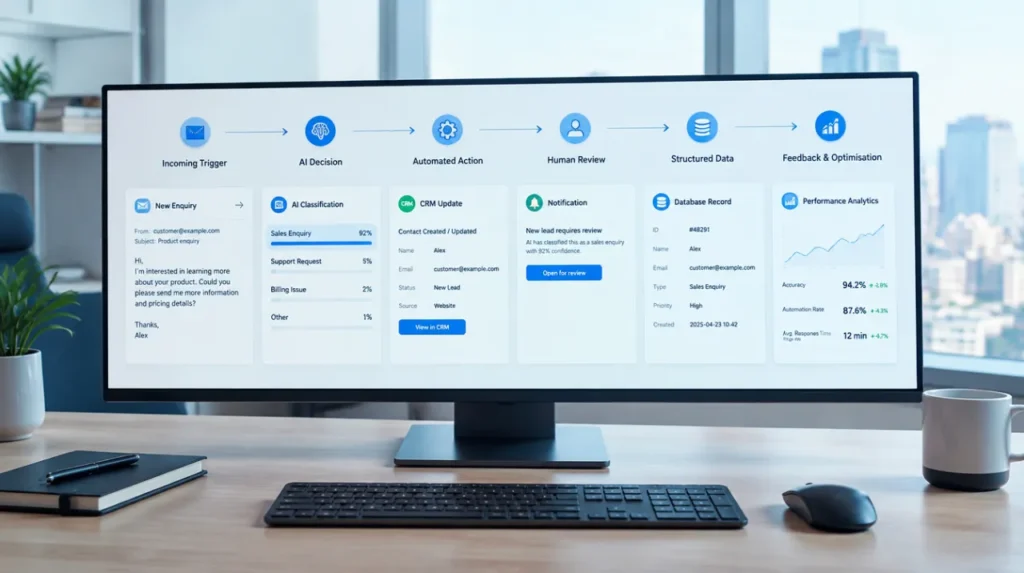
The practical AI workflow automation examples are where a trigger, an AI decision, and an action work together to complete a business process:
1. A Defined Trigger
Every successful automation starts with a specific event. The trigger should be precise and measurable, not vague.
Example:
- Weak: “When an email arrives”
- Strong: “When an email arrives from a new prospect and contains a pricing enquiry”
A specific trigger drives a more reliable automation result.
2. AI Decision-Making
AI performs best when it operates within clear boundaries. It should know exactly what it is evaluating and what criteria to use.
Examples:
- Is this lead qualified?
- Is this invoice an exception?
- Is this support ticket high priority?
AI is most effective when the process is defined, even if the decision itself is complex.
3. A Specific Action
The automation must produce a clear outcome, and only useful automation drives action.
Examples:
- Create a CRM record
- Route a ticket
- Send a response
- Update a database
- Notify a team member
4. Human Oversight
The goal of AI automation is to remove humans from repetitive work while keeping them involved in exceptions and high-impact decisions. Strongest AI systems automate the routine and escalate the uncertain.
5. Clean and Structured Data
AI is only as good as the information it receives. Poor data leads to poor decisions, for successful automations:
- Validate inputs
- Standardize formats
- Remove incomplete data
- Use structured outputs such as JSON
6. Feedback and Continuous Improvement
Effective AI automation is not a one-time setup; in fact, the best systems:
- Track outcomes
- Monitor errors
- Learn from corrections
- Improve prompts and workflows over time
7. The Right Process to Automate
If a process cannot be clearly documented, it can not be automated; the best candidates for AI automation are:
- High-volume
- Rule-driven
- Time-consuming
- Repetitive
A successful AI automation combines clear triggers, defined actions, clean data, human oversight, and optimisation for a reliable execution.
Tools Used in The Automated AI Workflows
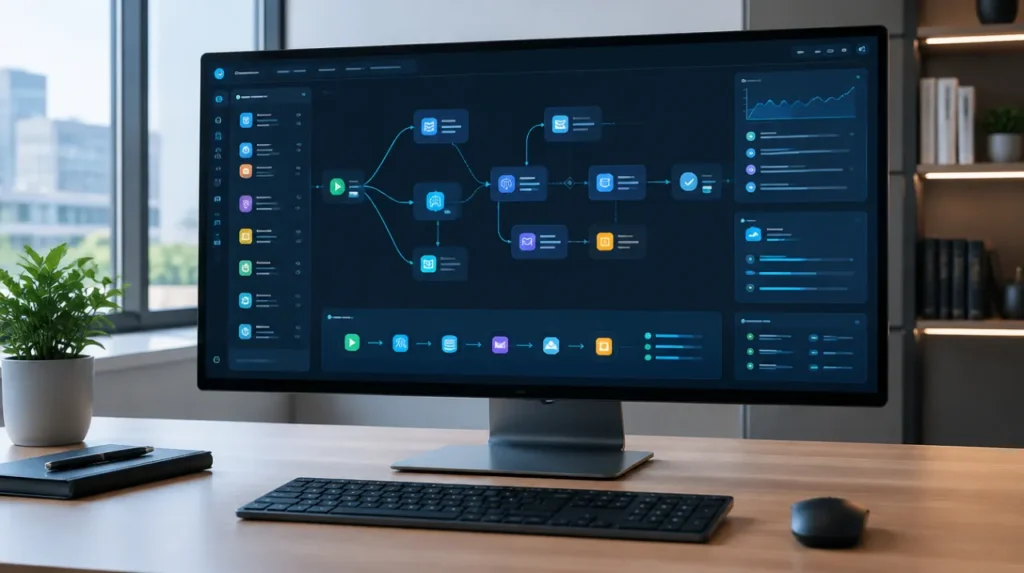
Some general AI automation tools used in UK businesses’ workflows are:
| Tool | Best For | Complexity |
| n8n AI Automation Tool | Custom, self-hosted workflows with full control | Intermediate-Advanced |
| Zapier | Quick no-code connections between popular apps | Beginner |
| Make | Visual multi-step automations with complex branching | Beginner-Intermediate |
| OpenAI API direct | Custom AI logic embedded in an existing stack | Developer |
You can build the general automations for your business with these tools. If you want full control and have the technical capacity, you can benefit from n8n; if you want automation without writing code, Zapier and Make are the fastest route. Embedding AI into an existing product or internal tool, direct API integration makes more sense.
Conclusion
AI automation works well when tasks are high-volume, well-defined, and their output can be verified. The 15 AI automation examples covered above are where the businesses are currently seeing measurable results. With these AI-powered systems, fewer hours are spent on processing, faster response times, consistent outputs and staff capacity is redirected to work that actually requires human intelligence or judgment.
The starting point of AI automation is the process, not the tools. Identify the patterns that require more time, document the process and start building from there.