
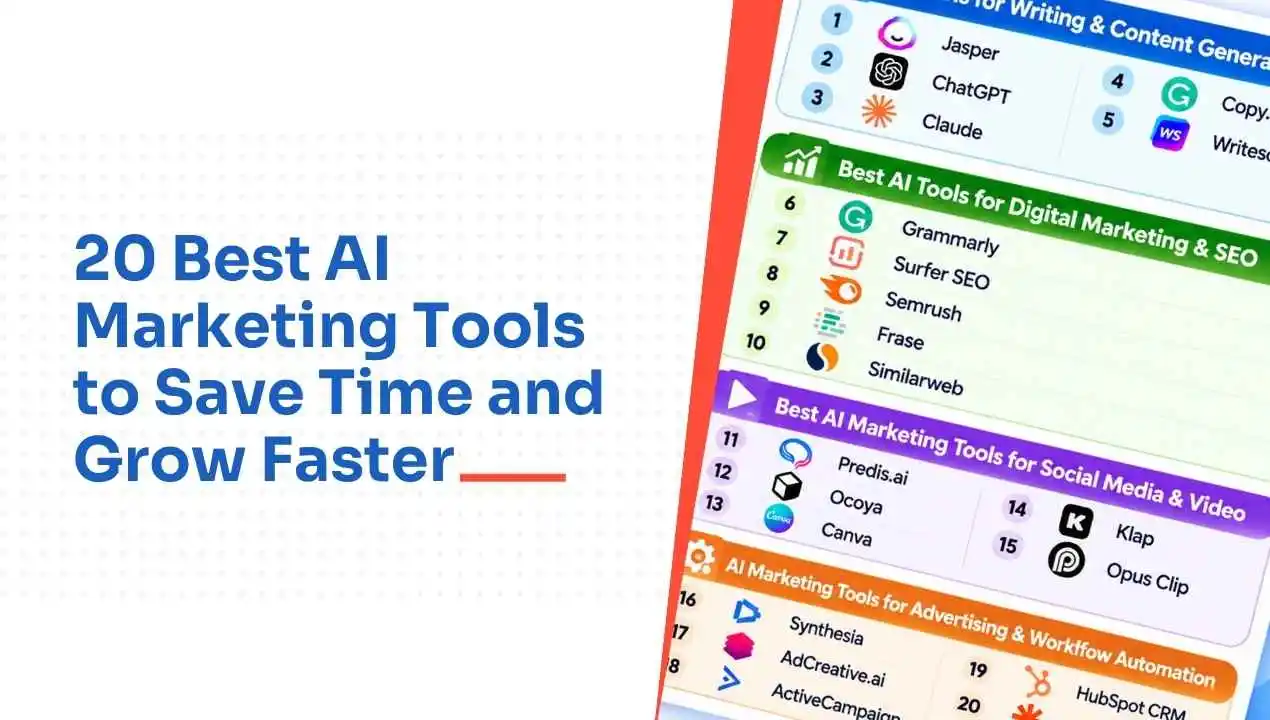
20 Best AI Marketing Tools to Save Time and Grow Faster
You asked ChatGPT to write a blog post, but the draft lacked useful examples and missed your target keywords. You tried another AI tool for SEO suggestions, opened Canva for images, and searched for a scheduler to publish everything on time. A simple blog post suddenly required four different tools.
AI marketing tools fix that. They use artificial intelligence to draft, analyze, and automate marketing tasks, from content and SEO to social media, email, and workflows. Many also show whether your brand appears in AI chat answers. Below, we compare 20 AI marketing tools by features, pricing, pros, and cons, so you can pick the ones that save you the most time
20 Best AI Marketing Tools: A Step-by-Step Guide
We divided the 20 best AI marketing tools into four categories, from content creation to workflow automation.

Best AI Tools for Content Creation
1. Jasper
Price: 7-day free trial; paid plans from $59/month
Jasper is a marketing platform developed for teams in need of on-brand content. With Brand Voice, the software analyzes existing content to determine the tone, terminology, and format used in that content, and recreates them in new copies. The Knowledge Base grounds the writing process by using company materials, whereas Campaigns convert a brief into multiple assets. The initial output may be repetitive, so hire a professional editor and provide Jasper with voice instructions.
| Pros | Cons |
| Strong brand voice | High seat pricing |
| Campaign creation | Repetitive phrasing |
| Team governance | Steep learning curve |
2. ChatGPT
Price: Free plan available, paid plans from $8/month
ChatGPT is the easiest way to turn a written concept into a market-ready picture within minutes. You need to express the description in simple words and get blog visuals, advertisement ideas, or social media graphics. Due to its chat feature, you can change colors, layouts, or formats instantly. The free version is limited in images. However, the tool lacks precision, so you should finish designs in Canva or Photoshop.
| Pros | Cons |
| Very easy to use | Limited fine control |
| Included in Plus | Low free-plan caps |
| Edit by chatting | Needs a finishing tool |
3. Claude
Price: Free plan available, paid plans from $200/year
Claude’s conversational AI marketing tool offers solutions for drafting, editing, and brainstorming marketing challenges. Projects feature can store your brand’s style guide for future sessions, reducing the need to repeat it. It includes tools that enable you to build interactive data applications and client tools. It also has native connectors and Zapier to link Claude to other apps and thousands more using MCP.
| Pros | Cons |
| Natural writing style | Easy to hit limits |
| Strong at editing | Added details need checking |
| Projects hold context | Higher limits need paid plan |
4. Copy.ai
Price: Free plan available, paid plans from $29/month
Copy.ai is a software solution for marketing and sales copy automation. The chat feature provides brainstorming ideas, while the Workflows and Content Agent handle copy tasks, such as drafting emails and blogs. The InfoBase and Brand Voice repositories store important company information. It is also possible to integrate it with more than 2000 applications. It would take time and effort to set up workflows, and the SEO options are not very impressive.
| Pros | Cons |
| Fast first drafts | Weak SEO features |
| Workflow automation | Setup takes time |
| Free plan available | Facts need checking |
5. Writesonic
Price: Free trial, paid plans from $39/month (billed annually)
Writesonic offers a suite of long-form AI drafting tools combined with a built-in SEO package for a single price. With Article Writer, Writesonic will find sources and draft an article from start to finish, including the ability to publish directly to WordPress. Combination of Chatsonics add real-time search, keyword research, and an AI content optimizer, users can meet their basic SEO needs.
| Pros | Cons |
| Fast drafting | Heavy editing needed |
| SEO tools bundled | Inconsistent quality |
| AI visibility tracking | Crowded interface |
6. Grammarly
Price: Free plan available, paid plans from $12/month
Grammarly checks for typos, punctuation, and even tone as you write. You can even train Grammarly to recognize your company’s style guide and use the voice you’ve set for your company. Using its AI writing features, Grammarly also notices any missing content, and even suggests improvements and can help write text for you. It offers some paraphrasing tools for free, while some of its paid writing features include plagiarism checking.
| Pros | Cons |
| Brand style guide | English only |
| Free paraphrasing tool | Missed errors in one test |
| Tone configuration | Best features are paid |

Best Ai Tools For Digital Marketing & Seo
7. Surfer SEO
Price: Paid plans from $79/month (billed annually)
Surfer SEO evaluates your draft in relation to the top-ranking pages and provides you with precise suggestions to implement. The Content Editor provides keyword suggestions, word count, headings, and image proposals in real time. It can also be integrated with Google Docs and WordPress. The Content Score (a scale from 0 to 100) provided by the tool can guide writers in their tasks. The Content Audit section highlights outdated content that should be rewritten.
| Pros | Cons |
| Data-backed content score | Over-optimization risk |
| Content Audit for updates | Add-ons raise cost |
| Works in Docs, WordPress | Weaker AI writing |
8. Semrush
Price: From $117/month (billed annually)
Semrush consists of tools such as keyword research, rank tracking, site audit, content optimization, and competitive analysis. When your rankings fall, Semrush’s AI assistant, Copilot, tells you and suggests fixes. and recommends corrections in the Semrush dashboard. The visibility of a brand can be measured in ChatGPT, Google AI, Gemini, and Perplexity. Semrush’s technology provides access to 180 million ideas and evaluates if one’s website is ready for AI technology.
| Pros | Cons |
| Huge SEO toolset | Feature overload |
| Modular dashboard | Costly for individuals |
| AI visibility included | Limits on cheaper plans |
9. Frase
Price: Paid plans from $38/month
Frase reviews the top 20 results for a keyword, then prepares a simple brief. Each brief contains headings, topics, and word count recommendations that indicate what the page should cover. Frase can write the complete blog post based on the brief, as well as give documents an optimization score. Plans begin at $38 per month, and a 7-day trial allows you to evaluate the service without using a card.
| Pros | Cons |
| Fast content briefs | Generic AI writing |
| Content scoring built in | Briefs feel overwhelming |
| Easy 7-day trial | Google-only research |
10. Similarweb
Price: From $125/month
Similarweb shows the sources of competitors’ traffic and whether AI chatbots have referred to them. The AI Brand Visibility feature indicates which keywords generate traffic and what prompts bring visitors. The reports present AI traffic sources in charts similar to GA4 for convenience. Beyond AI traffic measurement, it benchmarks competitors’ marketing mix, pay-per-click campaigns, and user engagement.
| Pros | Cons |
| Reliable, updated data | No sentiment analysis |
| Segmented market data | AI pricing on request |
| Clean interface | Annual billing |

Best AI Marketing Tools For Social Media & Video
11. Predis.ai
Price: Paid plans from $19/month (billed annually)
Predis.ai transforms a brief text prompt into a social media post with accompanying visuals and captions in text form. The Core plan allows for one brand and makes use of 1,300 credits per month, as well as a total of up to 10 social media platforms. Also, it allows for 60 runs of competitor analysis per month in order to analyze competitor pages for ideas. Some captions need editing, and videos may look basic, so teams should review them before publishing.
| Pros | Cons |
| Fast social visuals | Captions need editing |
| Competitor analysis runs | Template-like videos |
| Multiple channels supported | No auto posting (Core) |
12. Ocoya
Price: Paid plans from $15/month
Ocoya is an all-in-one tool that includes features such as artificial intelligence-powered caption writing and scheduling of social media posts. For $15 per month, the Bronze package comes with support for five profiles, one user, and 100 AI credits. The Silver package introduces the use of AI art, support for different languages, and integration with e-commerce platforms. The Gold package includes a number of advanced features encompassing prediction of social media performance.
| Pros | Cons |
| Ecommerce integrations | Basic AI copy |
| Many plan tiers | Shallow analytics |
| Multi-language copywriting | Learning curve |
13. Canva
Price: Free plan available, paid plans from $12/month
Canva is an easy-to-use application that caters to non-professionals who want to produce social media posts, slides, and carousels. With the help of millions of templates and a user-friendly editor, the user can convert a blank screen into a professional-looking design. This software also offers text-to-image generation and Magic Design features powered by AI.
| Pros | Cons |
| Huge template library | Paid features shown in free |
| Wide AI features | Limited editing precision |
| Free plan available | Heavy users hit limits |
14. Klap
Price: Free trial available & paid plans from $29/month
Klap uses artificial intelligence to find clips in longer videos. These clips are then scored by how likely they are to go viral, so you will know in what order to post the clips. Klap is even able to frame clips in vertical orientation and will automatically apply colors to match your brand. Captions can be applied to clips as well. Plans start at $29 per month and come with 10 clips from videos up to 45 minutes in length.
| Pros | Cons |
| Viral clip scoring | Basic branding controls |
| Automatic captions | Restrictive free trial |
| Easy for beginners | Talking-head focus |
15. Opus Clip
Price: Free plan available & paid plans from $15/month
Opus Clip uses AI to transform your podcast episodes, or any other long-form videos, into social media-ready videos. Advanced AI clipping tools and emotional intelligence features come with a paid plan, along with the ability to score your video. Voiceovers, B-roll, and the ability to post directly to Shorts, TikTok, and Instagram are unlocked in the Pro plan. Opus Clip works on a credit system, where one credit represents one minute of the video that you upload.
| Pros | Cons |
| Smart clip scoring | Credits expire monthly |
| Direct social posting | Pay per minute uploaded |
| Free plan available | Free plan watermark |
16. Synthesia
Price: Free plan available & paid plans from $29/month
With a URL to a blog post, or by inputting your script, Synthesia creates a video with an AI speaker. Synthesia allows you to choose from one of over 230 different avatars or create your own, then customize and place your text and images. Teams can create social videos, documentation, and onboarding to manage production. The AI-generated video focuses more on the speaker than it does on screen recordings of the product.
| Pros | Cons |
| Large avatar library | Hit-and-miss avatars |
| Turns scripts into videos | Monthly minutes expire |
| No production crew | Not for screen demos |
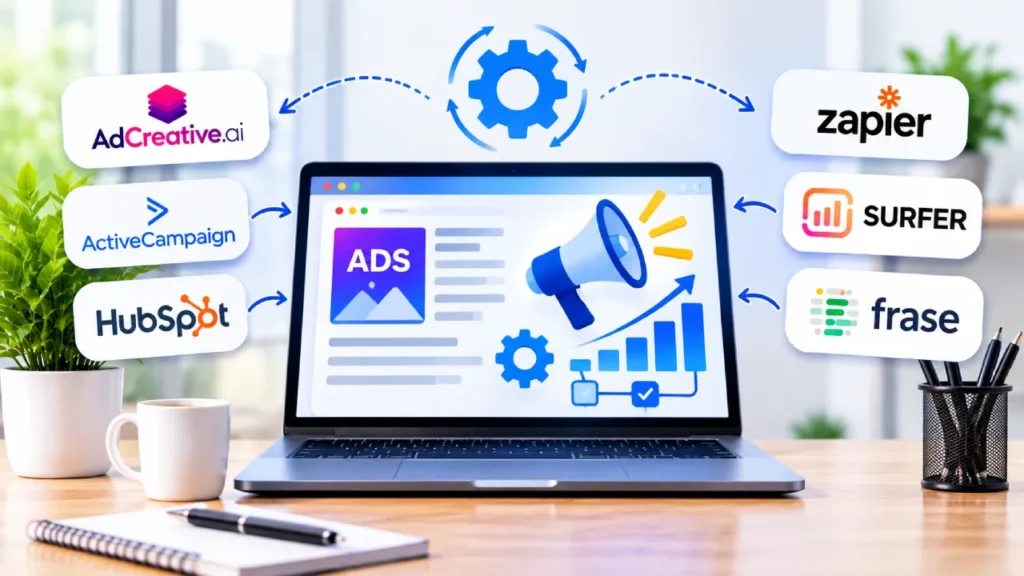
AI Marketing tools for Advertising & Workflow Automation
17. AdCreative.ai
Price: Paid plans from $20/month (billed annually)
AdCreative.ai creates variations of your ad creatives so you can easily A/B test ad designs and ad copy. Starter includes text generation, ad platform integration, and competitor insight tools. The Starter plan is limited to one brand and one user. Professional ads creative scoring, batch creation, and a compliance tool for you to review and choose stronger ads before you spend money.
| Pros | Cons |
| Fast ad variations | Not premium design |
| Creative scoring (Pro) | Generic copy |
| Free trial available | Needs testing volume |
18. ActiveCampaign
Price: 14-day free trial & paid plans from $15/month
With ActiveCampaign, you have email automation built specifically for marketers that creates email campaigns. It will create the content, email subject line, email preheader, images, and starter automation for you. It has predictive sending that learns when individual contacts open your emails and will send an email to each individual contact. You also have AI technology that creates nurture campaigns based on your email goals.
| Pros | Cons |
| AI email drafting | Costs rise with contacts |
| Smart audience segments | Limited entry-plan features |
| Predictive send timing | Steep learning curve |
19. HubSpot CRM
Price: Free plan available; paid plans from $45/user/month (billed annually)
HubSpot CRM helps marketing and sales work from a single customer record instead of two disconnected tools. Brees AI is inside the platform so marketing and sales can draft, summarize, and prospect where they are already working. It summarizes a deal, drafts a follow-up email and can even identify dormant accounts. The platform is simple to use and the free plan includes basic CRM tools.
| Pros | Cons |
| Intuitive interface | Needs HubSpot ecosystem |
| Generous free plan | Complex pricing tiers |
| Built-in AI agents | Unclear AI credits |
20. Zapier
Price: Free plan available & from $19.99/month
Zapier is the tool that integrates your AI with other software. it connects your AI tools with apps like Gmail, Slack, and HubSpot, so data and actions move between them automatically. As you use other tools to complement Zapier, data and actions can flow from one to another. The more than 9,000 tools that can be linked with Zapier are complemented by the ability to design your own automation workflow. An example workflow is an automated lead qualifying process using AI to score the lead, adding the lead into your CRM (e.g. ActiveCampaign).
| Pros | Cons |
| Connects 9,000+ apps | Free plan two-step only |
| Works with any AI | Task costs add up |
| SOC 2 Type II certified | Opaque error logs |
Final Thoughts
Choosing the right AI marketing tools starts with understanding your business goals and the tasks you want to improve. Compare features, pricing, and limitations to find a tool that fits your workflow and budget. Start with a free plan or trial before investing in a paid subscription. The right tool should simplify your marketing efforts, save time, and deliver measurable results.
Frequently Asked Questions
01 How is AI used in marketing?
AI helps marketers easily write content, research search data, and schedule posts on social media. It also creates personalized emails and sets up automations to complete multiple routines across several applications. Surfer SEO can help you with your content optimization, while Zapier takes care of automating your workflow.
02 What are the best AI marketing tools for small business?
Free versions exist for these 5 popular software solutions: HubSpot CRM, Canva, Grammarly, ChatGPT, and Claude. In addition, Zapier’s free version allows you to create two-step workflows using those apps. Only upgrade to a paid version after reaching your limit with one of the apps you use regularly.
03 Which free AI marketing tools can businesses use?
Some tools have free plans. These are ChatGPT (with image limitations), Claude, Canva (includes 5GB of storage and over 1.6M templates), Grammarly, HubSpot CRM, and Zapier. These plans are limited and should be tested before any money is paid for an upgrade.
04 Are paid AI marketing tools worth it?
Paid tools are only valuable if they work and you can quantify. First, try the free version of the tool. Next, check what your next bill would be if you used the service three times. Finally, cancel your subscription to any service you have not opened in at least one month.