
Broken Link Building: The Honest UK Guide (With Templates That Work)
Most broken link building guides don’t talk about when it fails. They show you the tactic, give you a search string, and leave you wondering why 97 emails yielded two polite rejections. This guide does not do that. You’ll get the full workflow of finding dead pages, vetting what’s worth pursuing, matching your content, and writing outreach that webmasters actually respond to with the honest context that makes the difference between wasted hours and real backlinks.

What Is Broken Link Building?
Broken link building is a white-hat link acquisition method in which you find a dead page (a page that returns a 404 error) on someone else’s website that still has backlinks pointing to it. Broken link building in SEO means creating or matching that content and asking the linking site to replace the dead URL with yours.
The basic idea is that you get relevant backlinks by fixing a real problem that a webmaster already has, a broken link that sends their visitors to a dead one. It works because your outreach begins with “here, something is broken on your site” rather than “please link to me”. That one shift changes the way the request lands.
Why Broken Link Building Works And Why It Sometimes Does Not
The opportunity is bigger than most people realise. According to a Pew Research study from 2024, 23% of news websites have at least one broken link. Additionally, a separate study conducted by Ahrefs showed that 66.5% of all links that were ever built during the previous nine years are no longer valid. Broken links with backlinks occur in huge numbers, but the potential isn’t an issue.
The method works better than cold link requests since there is already motivation to respond to your proposal. It is a problem that already exists on the website the webmaster manages, so you are simply offering help, not asking a favour.
However, most articles about the broken links strategy don’t mention something important: success rates are somewhere around 2-5%. This isn’t the method’s fault; this is reality. You must work with those numbers when creating a plan, with 3% efficiency, 10 backlinks require sending out some 330 emails. The agencies dismissing this tactic have only reached 50.
A study by Outreach Monks found that personalised outreach emails generate 33% more links than generic emails. This means the copy you send is just as important as the opportunity you find. The common failure points, based on actual practitioner experience:
- Abandoned sites where nobody has posted in 2 years, emailing reply rate is effectively zero
- Sending a substitute that loosely matches the subject of the dead page, webmasters notice it immediately
- Getting to a generic contact@ address instead of the person who actually maintains that page.
- Sending the same outreach copy to 200 prospects. Experienced editors spot a template instantly.
Scale solves the conversion rate problem. Precision takes care of the rest.
Step 1: Find The Broken Pages With Backlinks
Only go after broken links if other sites are still actively linking to them. A 404 with no backlinks leaves you with nothing to work with. These are the core link-building tools UK practitioners rely on for this process.
Competitors’ Dead Pages (Highest ROI methods)
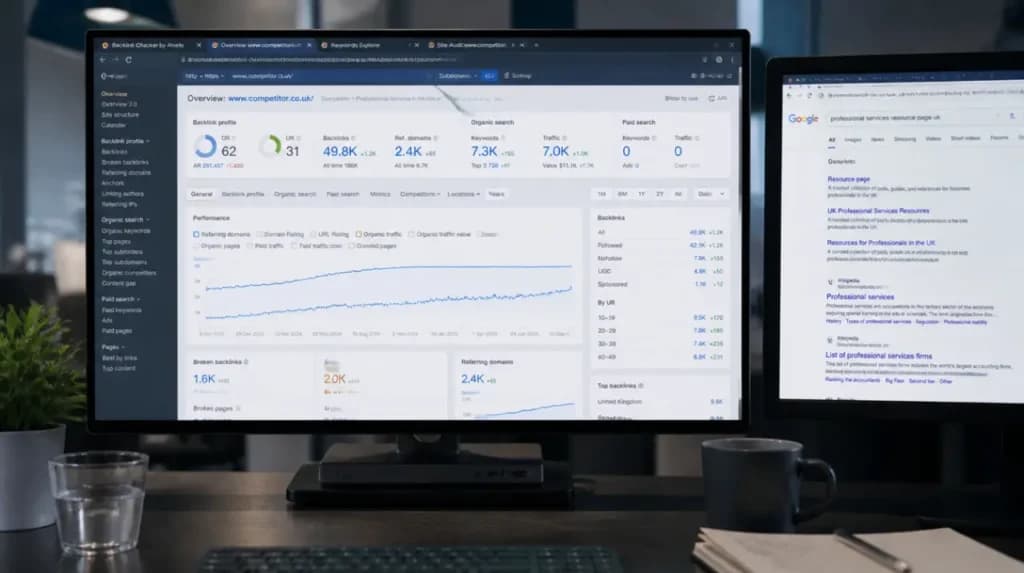
Put a competitor domain in Ahrefs, Semrush or Majestic and filter for broken pages with referring domains. You want to find pages your competitors have deleted or reorganised that other sites are still linking to. These are your best bets; the linking sites are already in your niche, and the dead content is directly relevant to what you are covering.
Screaming Frog (built in the UK and popular with agencies across the UK) allows you to crawl a competitor’s entire domain and export every broken outbound link on it in one go, making it much quicker than checking each page manually.
Resource Pages Via Google Search Operators
Resource pages are link-heavy by design; a single page can have anywhere from 40 to 80 external links, making them disproportionately likely to have at least one dead URL. 54% of Wikipedia pages have at least one broken link in their References section. Non-Wikipedia resource pages are no different.
Search for them with Google search strings:
“your keyword” + inurl:resources
“your keyword” + intitle:links
“your keyword” + “useful resources”
When you arrive at a resource page, simply use the free Check My Links Chrome extension, which will highlight all the broken links on that page in red within seconds, no paid tool needed.
Wikipedia Dead Links
Dead citations found in Wikipedia pages are not important for replacing the Wikipedia link since the links from Wikipedia pages do not pass on any link juice. However, dead Wikipedia citations work perfectly since many other websites are directly linked to these resources.
Search: site:wikipedia.org “your keyword” intext: “dead link”
Go through the References section and find links marked as “dead links.” Copy all the dead links into your broken link checker.
Step 2: Vet The Opportunity
This step is where most practitioners lose hours. Not all broken links with backlinks deserve your attention, and investing effort into writing something for a non-existent page will consume much more time than simply ignoring the dead backlink.
Before continuing, check four conditions:
- Does the website still work? If it hasn’t been updated for the last six months, then you can be sure that no response will come from its owners, as someone else probably manages the project now.
- Does the domain relate to your industry? If you see a connection between your niche and a dead backlink on an irrelevant website, such as linking a US technology directory and a UK gardening resource, this dead link cannot bring any benefits.
- Does a close match already exist on your site? If yes, skip content creation entirely and go straight to outreach. This is the fastest path to a placed link.
- Is there a similar page in your content inventory? In case of a positive, proceed directly to the contact stage. The quickest way to get a link is to send an email right away.
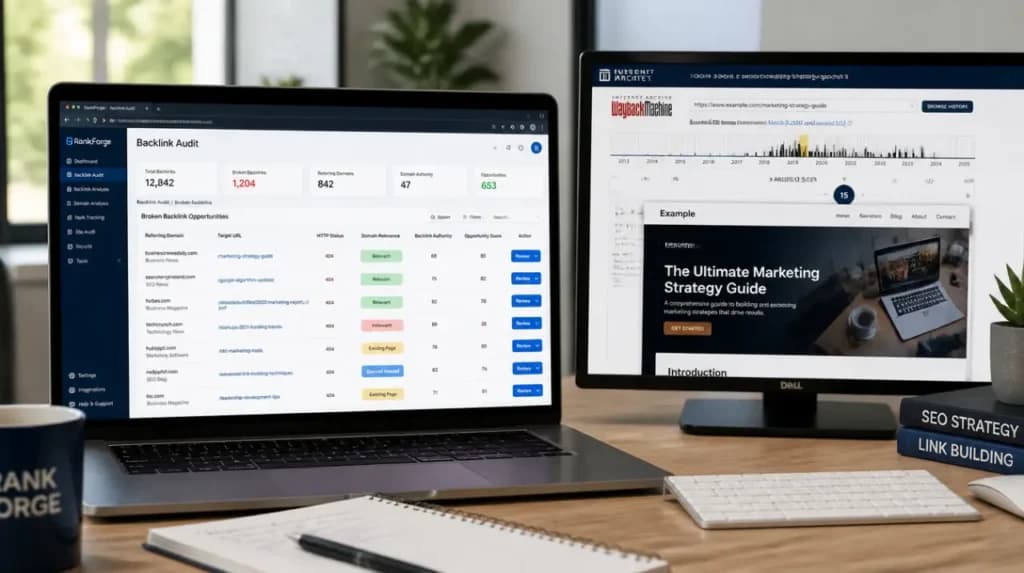
Finally, check the content. Go to archive.org, input the address of the dead backlink and open the actual page. Your new piece of content should relate to the topic presented on this page and have a similar length.
Step 3: Create or Match Your Replacement Content
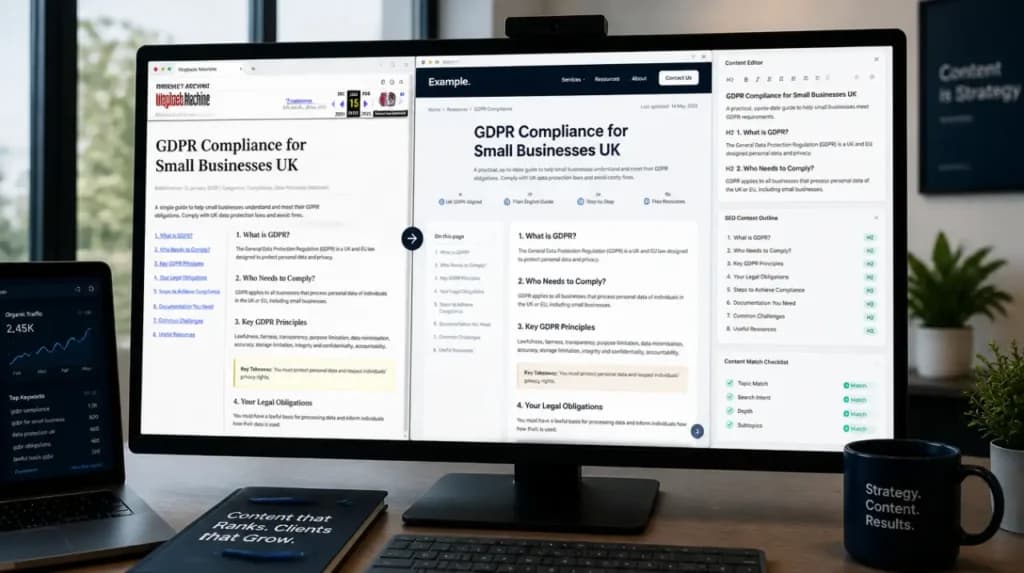
The core of any broken link building strategy is deciding whether you need new content at all. If there is already a page on your website that covers the same topic as the dead page, that is going to be your replacement. Go and outreach immediately. Otherwise, to know what to create, you should take a look at what the original article covered. Structure of the page, its depth, and particular subtopics covered by the dead page will give you an idea of what should be written.
Only one thing makes webmasters accept the replacement: its closeness to the intent of the original page. For example, the replacement of a page that talked about GDPR compliance for small businesses from the UK should talk about GDPR compliance for small businesses from the UK and nothing else.
Step 4: Outreach That Actually Gets Replies
Finding The Right Contact
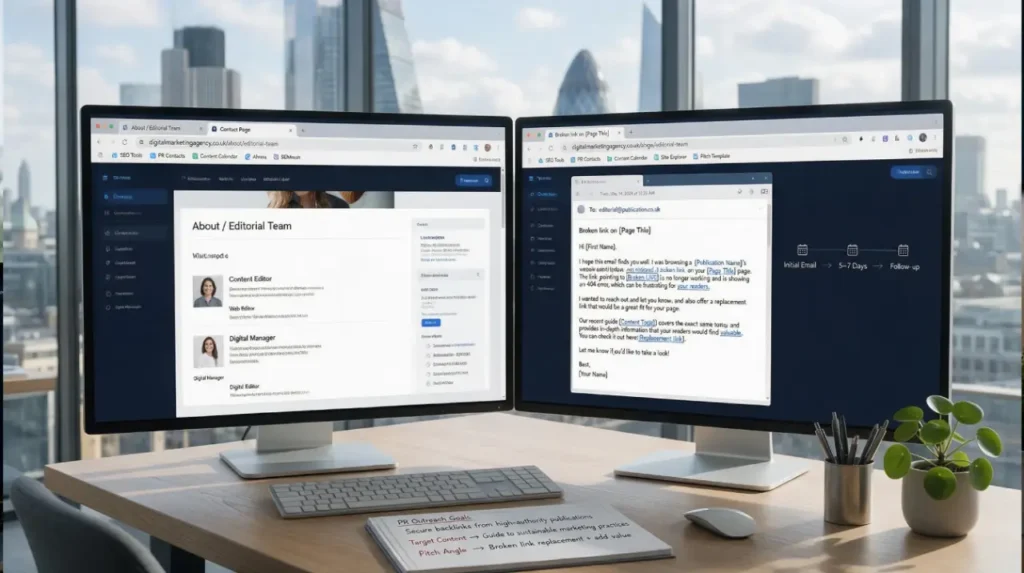
It’s not the site owner, not the PR team, not a generic contact address, but whoever maintains that page. On smaller UK blogs, it is usually the owner. For larger publications and .ac.uk sites, look for a team or about page that lists a content editor, web editor or digital manager.
Sending to the right person (as opposed to a generic contact form) can double your reply rate on its own. Since 52.3% of digital marketers already say link building is the hardest part of SEO, removing self-inflicted obstacles matters.
Outreach Email Template
Make sure to keep it short. The webmaster does not need your full back story; they just need to understand what is broken and what you are offering in under 30 seconds.
Subject: Broken link on [exact page title]
Hi [First name],
I was reading your [page title] page and noticed the link to [dead URL] is returning a 404.
I’ve written a piece that covers the same ground [your URL] in case it’s a useful replacement.
Either way, worth knowing about.
[Your name]
Every line has a function. The subject line says exactly what the problem is. The first sentence shows that you actually read the page. The second sentence, without pressure, gives the fix. The final line dispenses with the obligation, which paradoxically makes people more likely to act.
Follow-Up Rules
Send a single follow-up, five to seven days after the first email. Keep it to two sentences, a quick check-in, and your URL again. No third mail, if you follow up more than once, you risk turning the webmaster, who could have been a good link resource, into someone who will blacklist your domain as spam.
How To Measure Your Results?
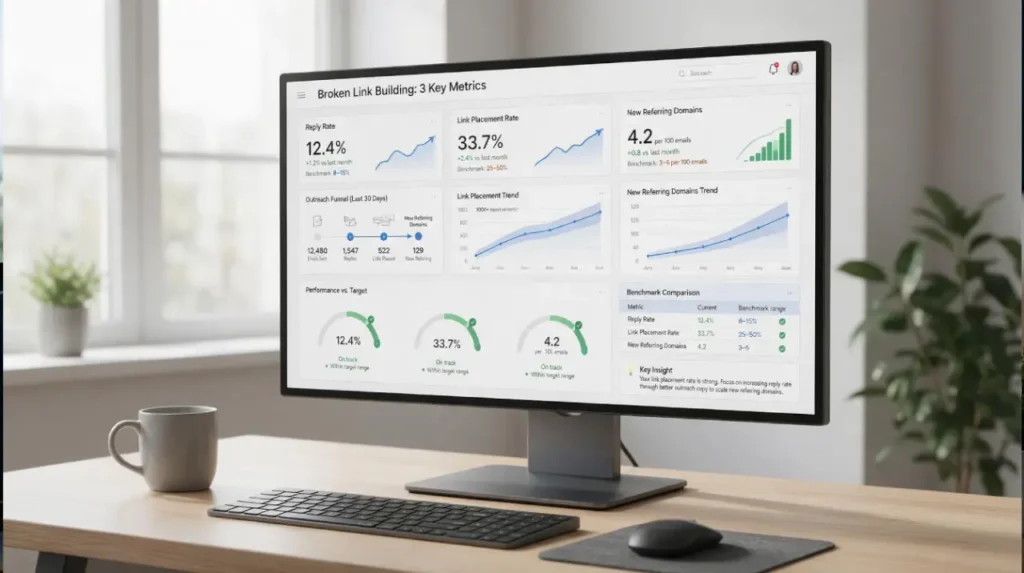
Track three numbers and nothing else until you have a meaningful sample size:
| Metric | What does it tell you | Target range |
| Reply rate | Whether your targeting and email copy are working | 8-15% |
| Link placement rate | Whether your replacement content matches the dead page closely enough | 25-50% of replies |
| New referring domains per month | Whether the tactic earns its time investment in your context | 3-5 per hundred emails |
If your reply rate falls below 8%, then there is something wrong with your target audience or the actual content of your emails. On the other hand, if your linking rate falls below 25%, the content you offer as a replacement for the dead website does not quite match the original. A real -world benchmark for a successfully executed broken link building campaign, 3-5 domains per hundred outreach emails.