
How to Optimise Google Business Profile (GMB) for Higher Local Ranking
You have claimed a free Google listing, but the users still are not finding you; GMB optimisation is the missing piece of this puzzle. Optimising your GMB Profile for higher local rankings requires providing highly accurate, complete, and engaging information to signal relevance and trust to Google’s local algorithm.
When you do GBP (2021, Google renamed “Google My Business” to “Google Business Profile”) properly, you show up more often in the “local pack”, the Google Map and three-listing blocks that appear at the top of local searches. In this guide, you will find a step-by-step process, a real UK cost range, a free tools list, and know when to DIY or hire a GMB agency.
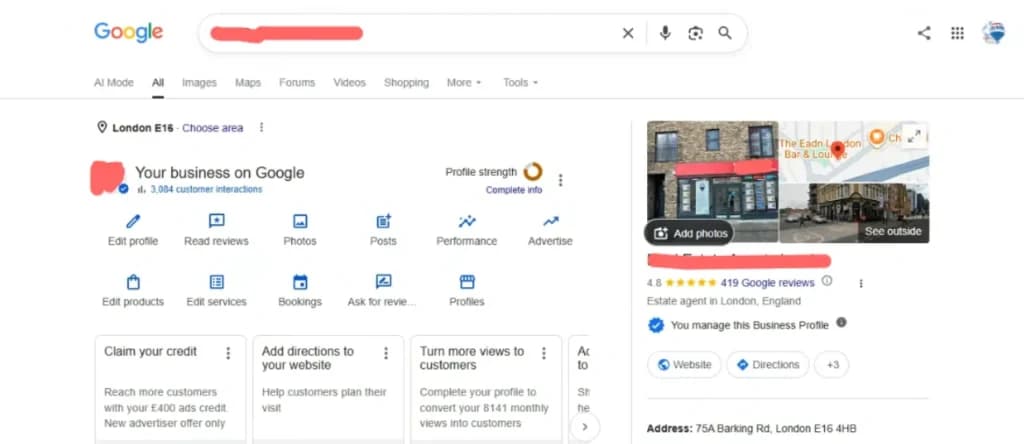
What Is GMB Optimisation? And Why Is It an Emerging Priority Now?
The GMB optimisation means updating your business’s Google profile: consistent business information, adding photos, collecting reviews, and posting updates, to improve local search visibility. In this way, Google displays your business for relevant, nearby searches. GBP has become an emerging priority for these reasons:
- Local Proximity: Google prioritises local search results based on geographic proximity. Optimising your profile makes sure you show up in “near me” searches, a massive volume of mobile traffic.
- AI and Conversational Search: As users rely on AI-powered search tools, Google surfaces the most matched profiles directly in the results. A GMB optimised profile feeds the right data to AI search queries.
- Mobile Dominance: A majority of users do local searches on mobiles; the “Local 3-Pack” (the top three local businesses shown on Google Maps) takes up most of the screen. Optimising your profile is the only way to compete for these spots.
- Direct Consumer Trust: users rely on GMB optimisation reviews, actual operating hours, and photos to make decisions. An optimised GMB profile acts as a digital storefront, driving higher click-through and conversion rates before a user even visits your website.
How to Optimise Your GMB Profile? Best Practices for 2026
Your GMB profile optimisation starts with this step-by-step process:
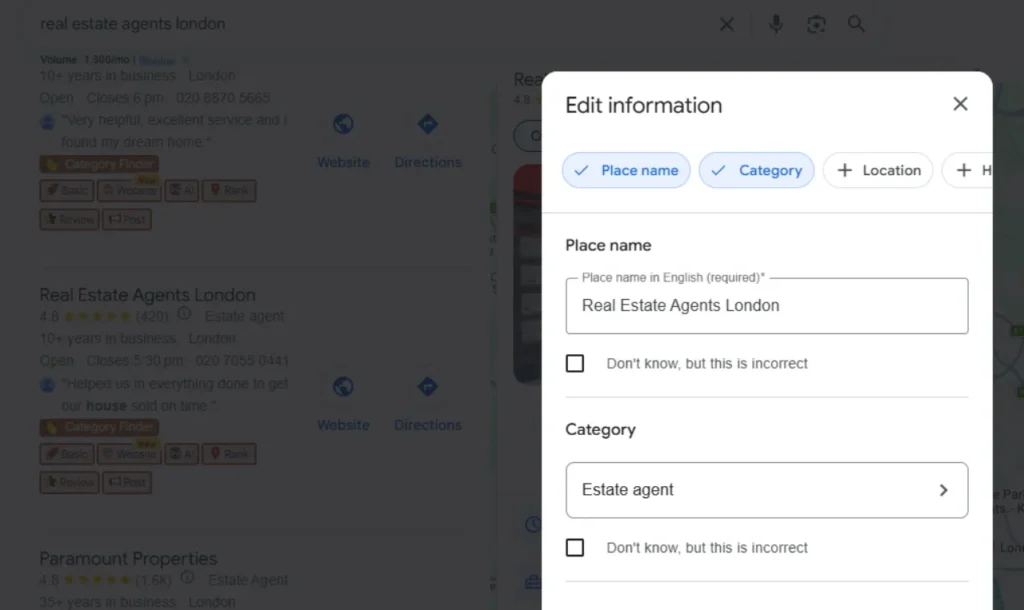
Complete and Accurate Profile Details
Start with the non-negotiable basic need of GMB
- Business name: exact as your signage and website, no keyword-stuffing
- Address: precise and an exact match of your website and other listings
- Phone number and website URL
- Opening hours: including holiday hours, as outdated hours are the most common reasons profiles lose trust
- Full services and products lists
The NAP consistency is the most important: your Name, Address, and Phone number should be the same on your website, GMB profile and your other listed directories (Yell, Bing Places, Yelp, etc.). Even a small difference, like “St.” instead of “Street,” can create confusion for Google.
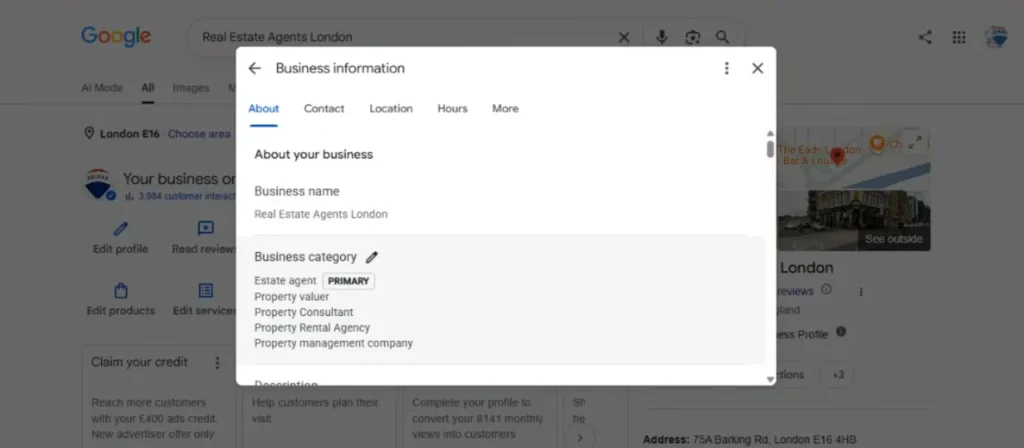
Choosing the Right Category
Your primary category is the strongest signal Google uses to decide which searches you should appear in. Getting this wrong is one of the most common reasons UK businesses lose easy wins.
| Common Mistake | Better Approach | Why It Matters |
| Using a broad category like “Store” | Choose the most specific match, e.g. “Bakery” or “Bicycle Shop” | Specific categories match more relevant searches |
| Only setting one category | Add secondary categories for related services | Captures additional relevant searches (e.g. “Dentist” + “Cosmetic Dentist”) |
| Copying a competitor’s category without checking fit | Pick based on what you actually offer | Mismatched categories can lead to suspension or poor relevance |
Get Reviews and Respond to Them
GBP optimisation reviews play a direct role in both trust-building and local ranking performance. Reviews are the first thing a potential customer reads before deciding to visit.
- Ask happy customers directly, in person, via email follow-up, or with a simple link to your review page.
- Never offer incentives in exchange for reviews, as this breaches Google’s policies and can lead to all your reviews being removed.
- Respond to every review, positive or negative, within a few days. A thoughtful response to a negative review often does more for trust than ten five-star reviews with no replies.
- Focus on consistent, genuine review requests as part of your normal customer process.
Photos, Videos & Posts
A profile that has not been updated in months signals to Google and customers that the business may not be active.
- Upload at least 10-15 high-quality photos covering your storefront, interior, team, and products or services.
- Use geo-tagged images where possible, as this can reinforce local relevance.
- Post updates, offers, or news at least weekly, even a simple “we’re open this bank holiday” post counts.
- Add short videos of your space or services if you can; these tend to get more engagement than static photos.
Q&A and Engagement
Most businesses leave this section empty and let random users ask questions. Instead:
- Add the 5-10 questions customers ask you most often, with clear answers.
- Monitor for new questions and answer them quickly; an unanswered question sitting for weeks looks neglected.
Quick Google My Business Optimisation Checklist
Use this as a fast reference for GMB optimisation:
- Business name, address, and phone number match exactly across all platforms
- Opening hours updated, including upcoming holidays
- The primary category is the most specific and accurate option
- At least one relevant secondary category added
- 10+ recent, high-quality photos uploaded
- At least one post has been published in the last 7 days
- All recent reviews have a response
- Common customer questions added to Q&A
- Website link and services list are current
- Profile checked for duplicate listings
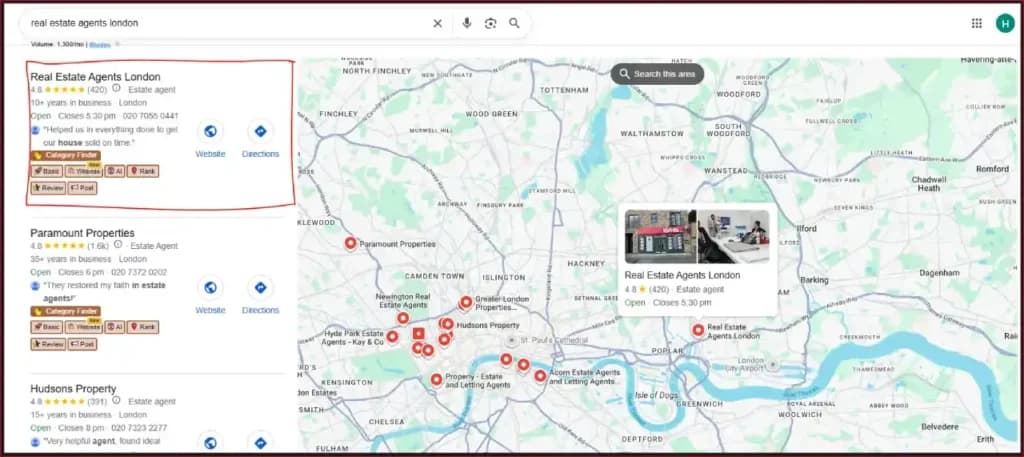
Does GMB Optimisation Actually Improve Ranking?
Improving your GMB ranking depends on how well your profile signals match local search intent. Google’s local ranking is based on a combination of signals, and optimisation improves your ranking across most of them.
| Factor | Impact Level | Quick Tip |
| Category accuracy | High | Review your primary category every few months as your services evolve |
| Reviews (volume + recency + responses) | High | Aim for a steady trickle of new reviews rather than occasional bursts |
| Proximity to the searcher | Medium | Not directly controllable, but accurate address data ensures Google places you correctly |
| Photos and Posting activity | Medium | Consistency matters more than volume; weekly is better than a one-off upload of 50 photos |
| NAP Consistency across the web | Medium | Run a quick audit every 6 months across major directories |
The honest answer to “Does GMB ranking improve with optimisation” is: it improves your eligibility to rank well, but local pack results are also affected by your physical location relative to the searcher.
How Much Does GMB Optimisation Cost?
Google My Business optimisation pricing can be confusing and often least transparently answered, but here is a realistic breakdown based on typical UK market rates:
| Service Type | Typical UK Price Range | What’s Usually Included |
| One-time profile setup/optimisation | £150 – £500 | Profile claim/verification, category setup, description writing, initial photo upload, basic Q&A setup |
| Monthly GMB management | £100 – £400/month | Regular posts, review monitoring and responses, photo updates, basic performance reporting |
| Full local SEO package (GMB + citations + on-site) | £300-£1,000+/month | Everything above, plus citation building, on-page local SEO, rank tracking, and ongoing strategy |
Hidden GMB Costs to Watch for
- “Setup” packages that don’t include ongoing management, meaning your profile goes stale again within weeks
- Citation-building services that use low-quality or irrelevant directories can do more harm than good
- Contracts with long minimum terms before you have seen any results
If you are doing this yourself, the only cost is your time; GMB itself is free to use and optimise.
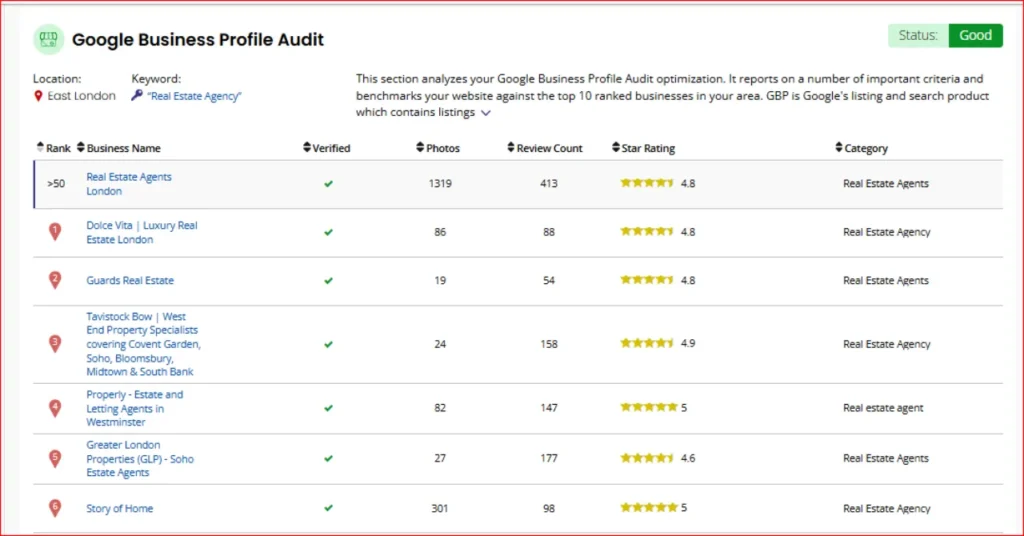
Can You Do It Yourself or Do You Need To Hire a GMB Optimisation Agency?
Optimising GMB profile by yourself depends on different factors like time, budget, local competition and expertise. Opt for hiring an agency if you can not optimise the GMB consistently. Here are the GMB factors to help you analyse:
| Factor | DIY | Agency |
| Time required | High; ongoing weekly effort | Low, handed off entirely |
| Cost | Low; your time only | Medium to High, ongoing |
| Expertise Needed | Learning Curve, but manageable for basics | Done for you, including more advanced tactics |
| Best for | Single-location businesses with low competition | Multi-location businesses or competitive niches (e.g., dentists) |
| Risk if neglected | Profile goes stale, ranking drifts down over time | Lower risk, assuming the agency is actually active |
If you choose to hire a local SEO agency, check their reviews and case studies on improved local rankings, or if you decide to optimise GMB yourself, follow the guide from the Google Business Profile Help centre. Just keep in mind, threads on GMB optimisation Reddit have a consensus that consistency matters more than one-time setup changes in improving local visibility.
Signs You Need Professional GMB Help
- Tried the above steps for 2-3 months, but still no visible change
- Have a highly competitive local niche with competition that has active profiles
- Multiple location business with no time to maintain each profile separately
- GMB profile has been suspended or flagged, and you have no idea why
Single-location UK businesses can handle these steps in-house with consistent effort. Agencies add value when competition is high or when time is the real constraint.
Free Tools to Check & Improve Your GMB Ranking
These GMB optimisation tools help you identify the gaps and track your business performance.
- Google Business Profile dashboard: It shows how users interact with your listing (calls, direction requests, website visits) and basic performance trends; start here before paying for anything else.
- Google Search Console: It shows the local search queries driving traffic to your website; GSC can help find gaps in your GMB description and services list.
- BrightLocal (free tools section): A free Google Business Profile audit flagging common issues like missing categories or inconsistent NAP data.
- Moz Local citation checker: Find inconsistencies in your NAP details across the web.
- Google Maps (manual search): Search your own business terms from a different device or location; Google My Business ranking checker can help you see how your profile appears in different local search locations.
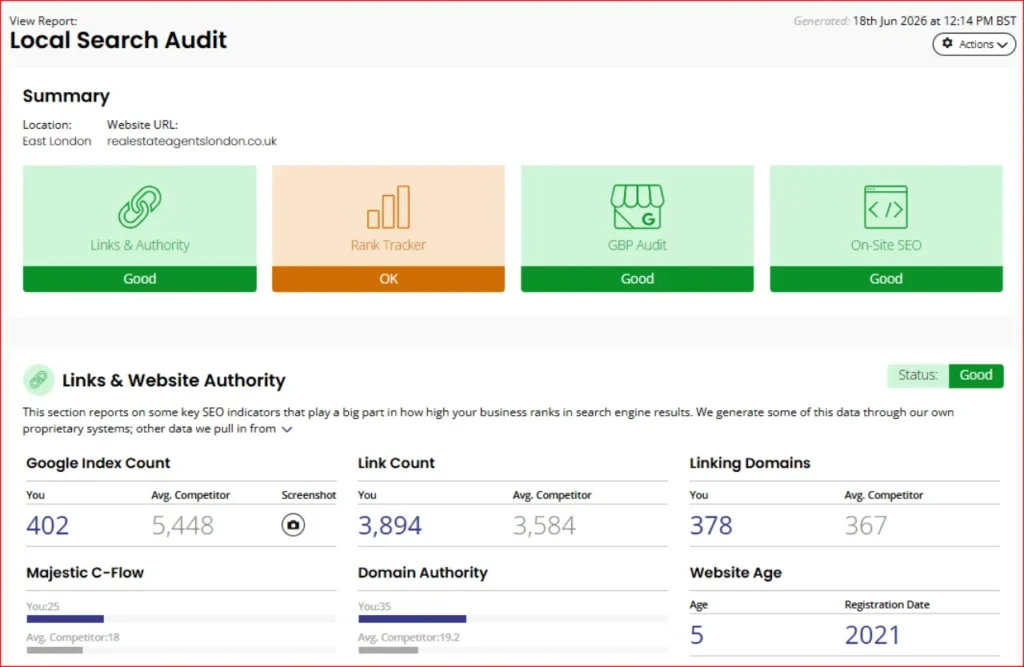
How Google My Business Optimisation Fits Into The 4 Pillars of SEO?
Optimising GMB should be a part of a broader SEO strategy; that is broken down into four pillars:
- Technical SEO: how search engines crawl and index your site
- On-page SEO: content and keyword relevance
- Off-page SEO: backlinks and citations
- Local SEO: location-based visibility, including GMB
GMB falls primarily in local SEO, slightly overlapping with others: your business description follows on-page SEO rules, and citation building is a form of off-page SEO. If you are building a broader SEO strategy, GBP should be a direct part of it.
Conclusion
GMB optimisation is an ongoing process of keeping your profile accurate, active, and responsive. Businesses that treat their Google Business Profile as part of their everyday operations show up in local searches more frequently. If you would like to have this handled for you, whether a one-time setup or ongoing management, get in touch for a free GMB profile review.
Frequently Asked Questions