
Can’t Find Your Site? How to Get Your Website on Google, Then Page One
You’ve launched the site, typed your business name into Google, and found nothing. It’s a common issue; don’t worry, it can be fixed. To get your website on Google, first it needs to be found and indexed. A site: search shows whether it has, and Search Console helps it along. Ranking on the first page comes through keywords, site speed, clear pages, and site trust.
This article covers how to get your website on Google, how to index it, what Search Console messages mean, and how to rank your site at the top of the Google results page.
How Do You Get Your Website on Google?
To get your website on Google, check that it’s indexed, fix anything blocking it, then submit it via Search Console. Google finds most sites automatically, but it does miss some. And being indexed is only half the job; ranking high enough to be seen is the other. First identify your site’s issues, then work on it.
| What You’re seeing | Problem |
| Nothing appears in site searches | Indexing |
| Appears in site search but not on brand name | Ranking (brand) |
| Shows on brand name, not on service pages | Ranking (keywords) |
Is Your Website Already on Google?
The quickest Google index check takes two minutes: type site: followed by your domain, such as site:yourdomain.co.uk. If pages appear, they’re in Google’s index. If nothing comes back, you have an indexing problem. Treat it as a rough guide, though; Google says site: won’t necessarily list every indexed page.
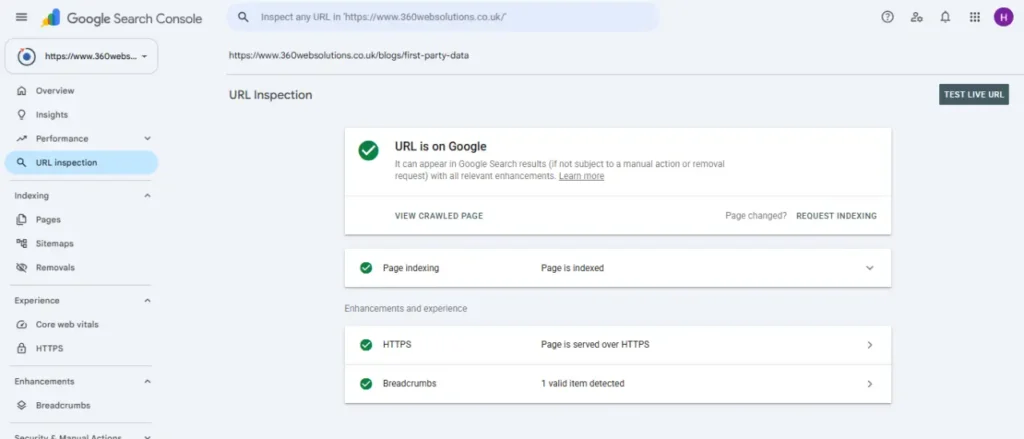
For a definitive answer, use the URL Inspection tool in Search Console. It reports either “URL is on Google” or “Page not found”.
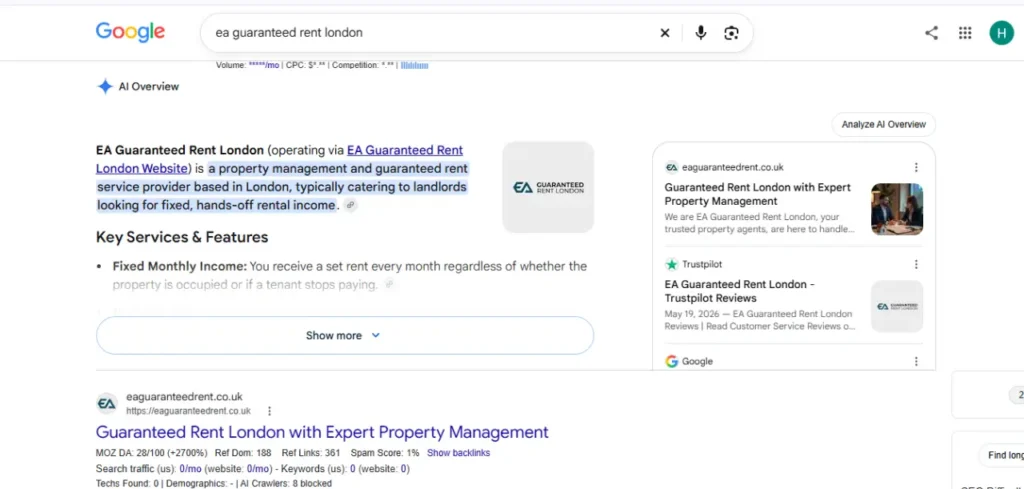
One distinction trips people up. Appearing in a site: search is not the same as appearing when someone types your business name. The first is indexing; the second is ranking. If you’re indexed but invisible for your own name, jump to the section on that below.
Why Isn’t Your Website Showing Up on Google?
Your site may not be showing up on Google because it’s new, there’s no interlinking, there’s no text on your page or Google may miss it.
| Causes | How to spot it? | What to do? |
| Site is totally brand new | Recently launched in the past few weeks | Be patient; Google can take a few weeks to notice a new site |
| No interlinking or outlinking | No other site links to your page | Get listed by suppliers, local directories; don’t buy paid links |
| Setting is hiding | WordPress has “Discourage search engines” ticked, or a password or coming-soon page is live | Untick the box and switch off the holding page |
| Tags or file block Google | Search Console shows “noindex” or “Blocked by robots.txt” | Remove tag or rule |
| Login or error gets in the way | Open your site in incognito mode; login required | Public your page and fix this error |
| No text on page | Images, videos and scripts on page | Add your relevant data in plain text |
| Google crawled it, but left it out | Search Console says “Crawled, currently not indexed” | Make your page more useful |
How Do You Get Google to Index Your Website?
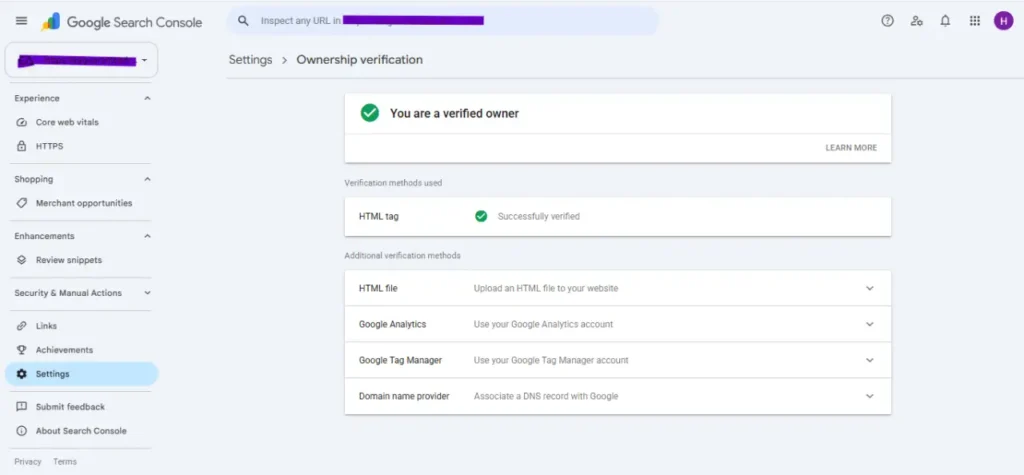
Enter your site URL in Google Search Console so Google can easily index and find your site. Here are three simple steps to index your site on Google.
Step 1: Verify Your Site in Google Search Console
Add your site in Google Search Console as a property. Choose the domain property because it covers all http, https, www, without www, and all subdomains. It needs one DNS record, which your domain provider can add. A URL-prefix property only covers the exact address you typed. Choose the wrong type and Search Console will say a URL isn’t in your property.
Step 2: Submit Your XML Sitemap
A website developer builds a sitemap for your site, so try yourdomain.co.uk/sitemap.xml, or /wp-sitemap.xml on WordPress. A sitemap is simply a file that gives Google details about all your important pages. Paste that address into the Sitemaps report in Search Console and submit it. It helps a new site get noticed, but it isn’t required and won’t guarantee indexing.
Step 3: Request Indexing for Your Key Pages
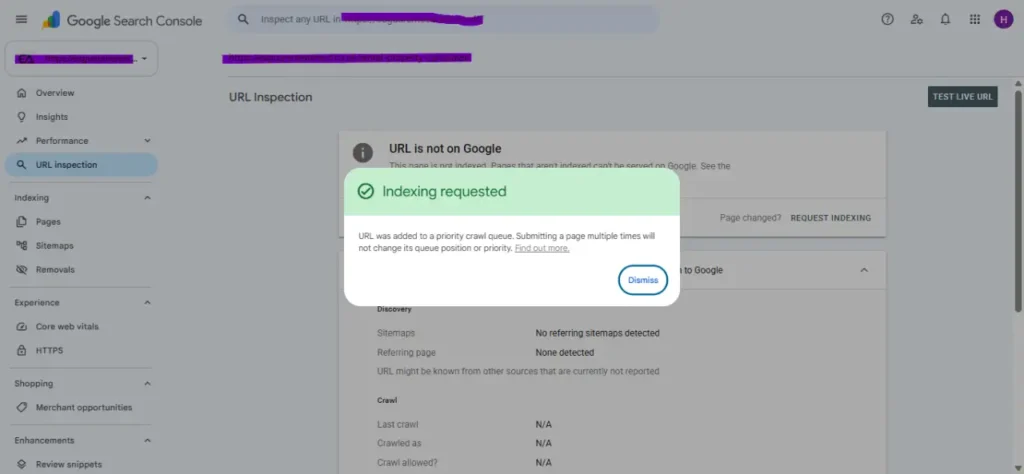
To check your site status, add your page URL in the URL Inspection tool. If it shows “page not found,” then submit your page for indexing. Due to the individual URL limit, submit only your important pages, like your homepage and service pages.
What Do Search Console’s Indexing Messages Mean?
The Page indexing report shows which pages Google has indexed. Not every “not indexed” line is a problem. These are the ones that tend to confuse people:
| Message | What does it mean? | What to do? |
| URL is not on Google | Not indexed yet | Follow the above steps |
| Discovered, currently not indexed | Google knows the URL but hasn’t crawled it | Give it time and do interlinking |
| Crawled, currently not indexed | Crawled but left out of the index | Make your page useful |
| Page with redirect | URL sends visitors elsewhere | Fine, only check that your destination is indexed |
| Excluded by ‘noindex’ tag | Tell Google not to index this page | Remove tag, if you want it found |
| Blocked by robots.txt | Your robots.txt file stops Google from crawling it | Check file rules |
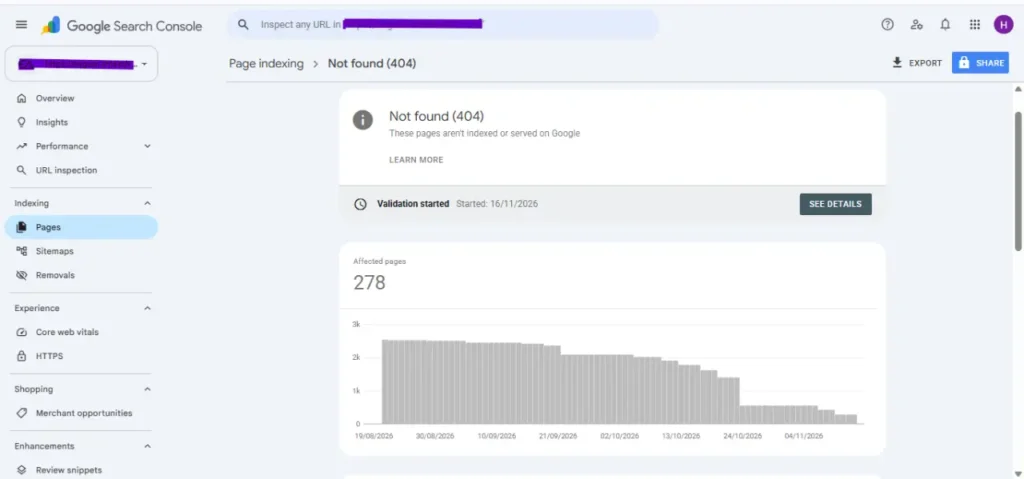
| Not found (404) | Page not exist | Fix the link or redirect it |
How Long Does It Take for Google to Index a New Website?
Google usually takes a few days to a few weeks to crawl a new site and consider it for indexing. Pressing Request Indexing repeatedly won’t speed things up, and even one request carries no guarantee. Submit a sitemap and links to new pages from already indexed ones.
Indexing isn’t ranking, though. Google says some changes show within hours, others take months, so give it a few weeks before judging.
Indexed but Invisible: Why Being on Google Isn’t Being Found
Site index and visibility on Google are two different things. Indexing means the page is on Google. Ranking decides which page appears on top. If your site shows up in site searches but not in normal searches, the problem is ranking.
New businesses can’t find their own site even by name because older results with similar names already show. To fix these issues, use your exact business name in your homepage title, H1, About page and footer. Verify your Google Business Profile and keep your name, address and phone number identical everywhere.
How Do You Get Your Website on the First Page of Google?
Google ranks your website on the 1st page depending on your keywords. Indexing in Google is the first step. Ranking is earned for each keyword separately. There is no shortcut to ranking at the top of the Google page.
Which Keywords Can a New Site Realistically Win?
A new site can win specific searches: its brand, or a precise problem. Broad terms like “plumber” are usually dominated by national brands, directories, and comparison sites. On the keyword “boiler repair in Croydon,” there are fewer searches but less competition. People are often closer to booking.
If your keyword searches show the biggest brand, move to a long-tail keyword.
What Is Google Already Ranking for Your Keyword?
Search your keyword on Google. Check results that show on the first page of Google. If Google shows a map pack, it means your Business Profile matters. Guides mean a blog post. Videos appear on the top page; then create a dedicated video alongside your text.
Every blog section starts with a proper answer. It helps your site to cite in AI searches and Overview. Add what your competitor misses in their content, like experience and better examples.
Is Your Site Fast, Mobile-Friendly and Secure?
Most Google searches are on mobile, so make your site fast and secure. Google’s free tool, PageSpeed Insights, tells you how your page performs.
It measures three things: loading speed (LCP), responsiveness (INP) and visual stability (CLS) and tells you where your page stands. To fix your site speed issues, compress oversized images, buy good hosting, remove unused plugins and add HTTPS.
Are Your On-Page Basics Right?
Every page has one topic and a clear title that tells what’s covered on this page. Descriptive title and real, readable text are the On-page basics. Your site has a meta description within the character limit, readable URLs, one clear H1 and subheadings people can scan. Add your images with proper Alt text. Ignore the myths. Google doesn’t use meta keywords, stuffing breaks its spam policies, and there’s no fixed word count.
How Do You Earn Links and Local Trust?
Other sites mention you when your site has valuable content. Google primarily finds pages through links from ones it already knows. For a small UK business, think local press, trade bodies, your chamber of commerce and suppliers’ websites.
Don’t pay for links; Google can treat that as spam. Locally, claim your Google Business Profile, keep details accurate, and reply to reviews. Google says more reviews and positive ratings can improve local rankings. To get more information, read our GMB optimisation guide.
Can You Pay Google to Rank First?
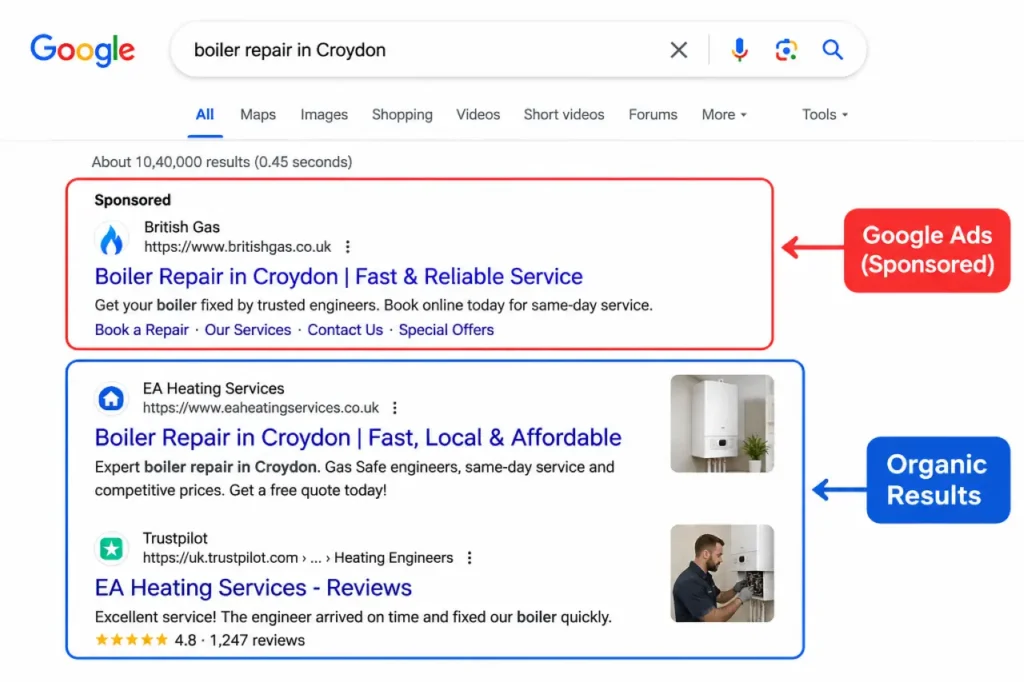
No, you can’t pay Google to rank first in organic results. Advertising with Google has no effect on where your site appears organically, and being listed there costs nothing. What money buys is ad space: listings labelled “Sponsored”. Ads can bring in visitors while your organic rankings build. Indexing is free; the real costs are your time, tools, expert help or ad spend. Google states plainly that no one can guarantee a #1 ranking. Before hiring an agency, be aware of these warning signs;
- “First page guaranteed” promises
- Claims of a “special relationship” or “priority submit”
- Link schemes or “submit to thousands of search engines” offers
If an agency promises page one, ask which keyword. Our questions to ask an SEO agency cover the rest.
Frequently asked Questions
01 Can I put my website on Google for free?
Yes, you can. Google never accepts any payments to include or rank websites in organic (unpaid) search results. Sponsored or paid Ads are different. To help it along, verify your site in Search Console and submit a sitemap.
02 How can I start SEO as a beginner?
You can start SEO with three basics: get indexed, build clear pages, then earn links. Confirm indexing with a site:yourdomain.co.uk search and Google Search Console. Next, give each page one topic, a descriptive title and useful text, and earn links by being worth mentioning, never by buying them.
03 How do I find out which page of Google my website is on?
Use the Performance report in Google Search Console. This shows you the queries that send traffic, impressions, clicks, and average position. Filter by one query to see where you usually appear for it. Monitor trends over several weeks, not just one day.
04 Can I do SEO for my website myself?
Yes, especially for small local businesses. Google says a small local business can probably handle much of the work itself; indexing, clear service pages and a complete Business Profile are realistic DIY tasks. Get expert help for site migrations or persistent technical errors.
05 Does submitting my sitemap guarantee my pages get indexed?
No, a sitemap doesn’t guarantee indexing; it helps Google discover your URLs, but Google says no crawl request guarantees inclusion and it prioritises useful content. Where pages duplicate each other, Google shows just one canonical URL.
06 Why did my pages suddenly drop out of Google?
Check two things first: recent site changes and manual actions. Look for a stray noindex tag, robots.txt block or broken redirects. Spam tactics can also trigger a manual action on part or all of a site. Search Console emails alerts when Google detects issues.
07 Do I need to resubmit my site every time I update a page?
No, you don’t have to resubmit every time your website gets updated. Google crawlers crawl the web regularly, and hosted platforms like WordPress automatically submit new content. You should only request indexing once in case of a significant change.
08 Will Google Ads help my website rank organically?
No, Google Ads won’t improve your organic rankings. Google says its search results aren’t influenced by whether a business buys ads. Ads run in separate, labelled slots. They’re useful for testing which keywords convert while organic visibility builds.