

SEO for Ecommerce: Run This Audit and Fix What Actually Ranks
Your competitors are not outranking you because they have a bigger budget. They are outranking you because their store has fewer ranking obstacles. SEO for ecommerce is not about adding additional content, but about removing all the technical, on-page, and structural issues that prevent Google from ranking your pages. According to BrightEdge, 53.3% of all website traffic originates from organic searches, which means that this is the highest-intent, free-of-charge channel for any online store.
Most ecommerce business owners perform SEO optimisation blindly without first conducting an SEO audit. That is the single habit separating stores that rank from those that do not. The best SEO for ecommerce stores is not about doing more; it is about fixing the right things first. Use this list of 20 proven SEO solutions that will rank your site and surpass those stores that have been operating ten times longer than yours.

What Is SEO for Ecommerce? And How Is It Different From SEO?
SEO for ecommerce is the ongoing optimisation process that ensures the website is optimised to appear in the organic search results, attracts buyers, and generates profit from the traffic generated. There are five main areas involved in ecommerce SEO: technical SEO, on-page SEO, site structure, backlink profile, and schema markup. All five elements work together; otherwise, no success will be achieved.
The difference between SEO for ecommerce sites and regular SEO is that of scale. Where there are just 50 pages to deal with on an information website, there are tens of thousands of pages on ecommerce sites, all having the potential for duplicate content, crawl pollution, or self-cannibalisation. Facets ensnare Googlebot in the loop of parameterised URLs. Manufacturer descriptions create duplication of content on hundreds of pages. Stock changes result in orphans within minutes of the seasonal change.
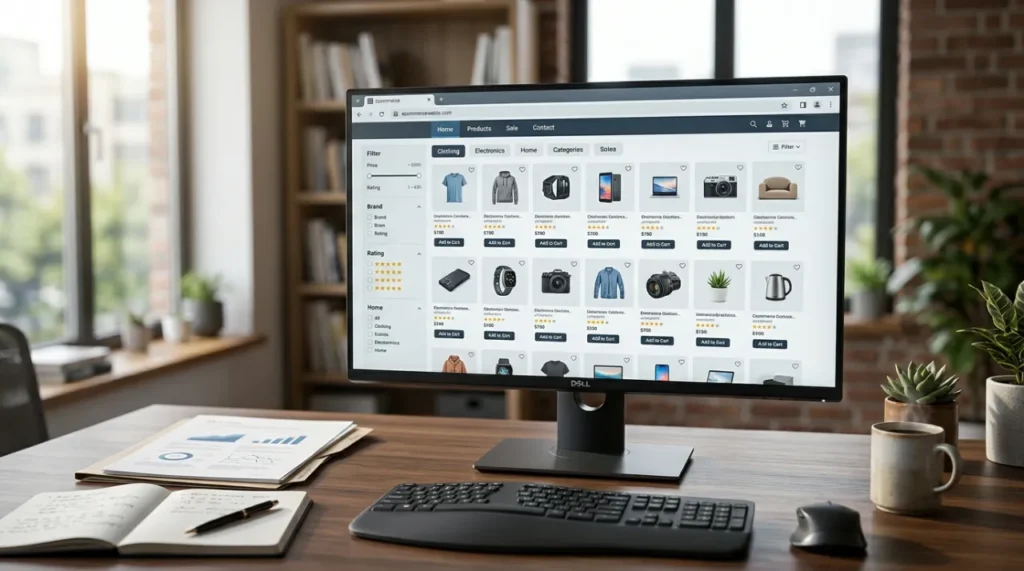
SEO for Ecommerce: Complete 20-Fix Audit Checklist
Run your online store through these 20 critical checkpoints to master SEO for ecommerce. Work your way through each section below to optimise your site structure and rescue lost sales.
Technical SEO for Ecommerce (Fixes 1-6)
Fix 1: Clean and Resubmit Your XML Sitemap
The sitemap informs Google about which pages to focus on. Almost all e-commerce sitemaps have irrelevant pages in them: unavailable products, filters, pagination, and noindex pages. Google has a limited budget for crawling each website. Spending the budget on irrelevant URLs will result in the top pages being crawled less often.
Exact steps:
- Visit yourdomain.com/sitemap.xml
- Find all non-indexed, 301-redirected, and 404 pages and delete them from the list.
- Make sure the final sitemap contains only canonical pages.
- Treat this as the first item in your technical SEO checklist; a clean sitemap is the foundation every other technical fix builds on.
Fix 2: Resolve Every Crawl Error in Google Search Console
The pages report from GSC is the truth that Google says about your website. Each page marked as “Not Indexed” gets absolutely no organic traffic regardless of its quality.
Exact Steps:
- Open GSC, go to Pages, then Not Indexed – sorted by volume, fix the biggest issues first.
- “Duplicates without canonical”: add rel=”canonical” to variant URLs, linking them to the primary product URL
- “Crawled but not indexed”: rewrite into 300+ words or make a 301 redirect to the nearest page.
- “404 errors”: make sure each dead URL redirects 301 to the nearest category or product page
- After each issue is fixed, open GSC, go to URL Inspection and click Request Indexing. Do not wait until Google indexes it.
Fix 3: Resolve Duplicate Content from Product Variants
A product with 6 colours x 4 sizes = 24 nearly identical URLs. They compete with each other, and none ranks well. Duplicate product variants are the most common invisible problem in SEO for ecommerce and the easiest to miss during a standard audit.
Exact Steps:
- Set up canonical URLs for products; only the main product page should be chosen, not variants.
- Include rel=”canonical” from all variant URLs linking back to the main product page.
- Shopify: check that canonical tags are active in the theme settings
- WooCommerce: it is taken care of automatically by either Yoast or Rank Math plugins
- Magento: activate canonical URLs in Catalogue> SEO
As a result, all signals will work on behalf of one powerful URL instead of dividing between 24 bad ones.
Fix 4: Fix Core Web Vitals: LCP, INP, CLS
Core Web Vitals are confirmed Google ranking factors. More sites fall short on CWVs than any other site type – ecommerce sites. LCP must be below 2.5 seconds, INP below 200 milliseconds, and CLS below 0.1 for success. Improvement of just 0.1 seconds yields retail conversions up by 8.4%, while average cart value rises by 9.2%.
Exact Steps:
- Open PageSpeed Insights and record baseline scores for your top 3 category pages and top 3 product pages
- Resize images to under 100KB WebP. Add width and height to each tag
- Move review widgets, chat tools and third-party scripts to defer or async loading
- Shopify: Add NitroPack. WP Rocket Installation for WooCommerce
- Retest after each modification back to your baseline
Fix 5: Repair Internal Linking
Internal links transfer authority between pages. Orphan pages that contain zero internal links pointing to them get no authority and rarely rank regardless of content quality.
Exact Steps:
- Open Screaming Frog, go to Bulk Export and select All Inlinks
- Filter: pages with fewer than 3 inbound internal links, these are authority-starved
- Add internal links from blog posts and category pages to product pages
- Use descriptive anchor text that contains your target keyword. Never use “click here
Fix 6: Add Hreflang for Multi-Region Stores
Without hreflang tags, Google is delivering the wrong country version to the wrong audience. It also creates signals for duplicate content between regional variants.
Exact Steps :
- Always add x-default pointing to your main version
- Add hreflang to your XML sitemap, too Google requires both places
- In GSC, open Settings, go to International Targeting, and check the Language tab
If you are selling in only one country, skip this fix.
On Site Architecture (Fixes 7 to 9)
Fix 7: Flatten Your Site to a Maximum of 3 Clicks Deep
Pages indexed at depth 4 and below get little to no crawl coverage. Crawls’ budgets are allocated according to the crawl depth of pages. Shallow pages always win. Flat site architecture is a non-negotiable foundation for effective SEO for ecommerce at any catalogue size.
Exact Steps:
- Open Screaming Frog, go to Crawl Analysis, select Crawl Depth, and export all pages sitting at depth 4 or deeper.
- Reorganise your navigation to bring important categories to depth 1
- Link to your important categories from your homepage’s footer
Fix 8: Optimise URL Structure
URL structure is the first on-page signal Google reads, and one of the most ignored fixes in SEO for ecommerce websites.
Exact Steps:
- Open Screaming Frog, filter URLs containing “?” and export all dynamic parameter URLs
- New Pages: Create in Format /Category/Product Name Lowercase & Hyphenated With Keyword And No IDs
- Bad URLs with Ranking: Leave as Is, Too Risky to Change Until Month 3
- Bad URLs Without Ranking: Update URLs and Set Up a 301 Redirect Right Away
- Update Internal Links and Re-Submit Sitemap in GSC After Changes
Fix 9: Add Breadcrumbs with BreadcrumbList Schema
Breadcrumbs increase the efficiency of crawlers. Instead of showing the actual URL, BreadcrumbList markup shows an easy-to-understand navigation trail in Google Search results that helps get more clicks without affecting rank.
Exact Steps:
- Include breadcrumbs on all product and category pages.
- Add BreadcrumbList markup using JSON-LD.
- Test with search.google.com/test/rich-results.
SEO for Ecommerce Product Pages-On-Page SEO for Ecommerce Websites (Fixes 10 to 15)
Fix 10: Write Unique Product Descriptions
Use of Manufacturer Descriptions leads to identical descriptions being used by hundreds of competitors. Google decides which description to display ranking usually its own website, and disregards all others, including your site. Unique product descriptions are the foundation of SEO for ecommerce product pages that actually convert.
Product descriptions have to be between 150 to 300 words. It should focus on advantages to the consumer, applications and answering common questions. Integrate the primary keyword in the content of the meta description. Do not ever reproduce manufacturer content.
Fix 11: Optimise Title Tags on Product and Category Pages
Title tags are the first ranking signal Google reads, and wasted titles waste it completely.
Formulas:
- Product page: [Product Name] – [Key Benefit] | [Store Name]
- Category page: [Category Keyword] – [Modifier] | [Store Name]
Make sure the title is under 60 characters, and make sure the primary keyword is included in your title. Do not duplicate title tags across two pages.
Fix 12: Add Content to Category Pages
The category pages optimise your highest-volume keywords. An empty category page which only contains a product grid doesn’t send a keyword message. It can never outrank its competitors.
Exact Steps:
- Provide 150-300 words of a unique introduction for each category page
- Put the primary category keyword in the H1 tag and the first 50 words
- Address one buying concern in the text: what to consider, how to select
- Include links to subcategories and bestsellers from the copy
And here is the most effective SEO tactic you have right now!
Fix 13: Add Product Schema Markup
Using product schema enables rich results such as live price, stock status, and star ratings in Google search listings. Rich results have a higher click-through rate at the same rank position. More clicks, same rank, more traffic.
Exact Steps:
- Check 5 product URLs at search.google.com/test/rich-results and find out which schema is missing.
- Add Product + AggregateRating JSON-LD in Include price availability ratingValue reviewCount
- Shopify: install “JSON-LD for SEO”
- WooCommerce: activate via Rank Math, open Schema settings, and enable WooCommerce
- Retest after deployment, confirm both schema types detected no errors.
Fix 14: Target Long-Tail Keywords on Product Pages
The trademark phrase “running shoes” is owned by Nike, Adidas, and Amazon. They are untouchable with that trademark. But you can beat everyone else on “men’s wide-fit waterproof trail running shoes.” Long-tail keywords are not highly competitive but have more purchasing intent. Ecommerce searches are 70% transactional, so they include more buying intent.
Exact steps:
- Use Google autocomplete to get ideas from your main product keyword
- Google People Also Ask to see the actual questions asked by buyers
- Amazon autocomplete to find the most commercially relevant product keywords
- Open Google Search Console, go to Performance, then Queries to see what’s driving traffic
Fix 15: Add Alt Text to Every Product Image
Google cannot see the image without Alt text. Alt text tells it exactly what they show; missing the Alt text wastes the ranking signal on every product page.
Formula: [Product Name] – [Colour/Feature] – [Brand]
Example: Nike Air Max 270 – Black White – Men’s Running Shoe
Rename image files before uploading: nike-air-max-270-black.jpg, not IMG_4823.jpg. Every image needs unique Alt text; make sure you do not duplicate it across images.
Content and Authority (Fixes 16 to 20)
Fix 16: Build Topical Authority with Content Clusters
Google ranks sites with comprehensive topic coverage above those with isolated product pages. A store that answers every buyer’s question in a category signals topical authority. Topical authority is how advanced SEO for ecommerce stores outrank competitors with larger budgets and older domains.
Pillar: Men’s Running Shoes (category page)
├── “How to Choose Running Shoes for Flat Feet” (blog)
├── “Best Running Shoes for Beginners 2026” (blog)
├── “Road vs Trail Running Shoes: Key Differences” (blog)
└── “How to Clean Running Shoes” (blog)
All the articles should be written on a certain buyer question AND link back to the main category page, giving it authority. Create three different groups for three categories.
Fix 17: Remove or Consolidate Thin Pages
Pages under 300 words without unique value decrease the overall quality score of the entire website. One hundred thin pages hinder the rankings of every solid page on the site. Thin page accumulation is the hidden traffic killer in SEO for ecommerce at catalogue scale.
Exact Steps:
- In GSC, open Pages and filters by zero impressions over the last six months; these are your thin pages.
- In Screaming Frog, activate the word count capture filter for pages under 300 words.
- For each thin page: either rewrite the page to at least 400 words if there is any value in it, or else noindex or redirect the page
- WooCommerce Tag Pages: Open Yoast, go to Taxonomies, select Post Tags and set them to noindex
- OutOfStock Products: Never remove from the site, always include restock information and similar products
Fix 18: Get Product Reviews Indexed with Structured Data
Reviews address two issues: first, they help generate new and unique content for the products, and second, they provide rich results like star ratings in search. Products with 50+ reviews convert 4.6× better. Brands that use user-generated content have an average 6 times higher conversion rate.
Exact Steps:
- Choose a review tool that generates AggregateRating data in addition to star rating visuals.
- Email the customer on days 7 and 14 after purchase (the first email asks for a review, the second follows up).
- Always reply to the review, which provides new content indexed by search engines.
Fix 19: Build Backlinks Through Supplier Pages (Off-Page SEO for Ecommerce Websites)
Backlinks are one of the top three ranking factors for competitive ecommerce SEO strategies. It’s the quickest, cheapest source, yet nobody in e-commerce does this on purpose.
Exact Steps:
- Search all brands in your product line for “Where to Buy” or “Stockists”
- Email the brand’s marketing contact: “We sell [Brand] at [URL] and would be happy to appear on your stockist page”
- Join your niche industry association, since most have a public members directory
- Every 3 months, send out a unique customer statistic story to 2 journalists covering your niche
Fix 20: Fix Crawl Budget Waste from Faceted Navigation
Product filters cause massive URL bloat, with 120 near-duplicate filter URLs. A category 5 colours x 4 sizes x 3 brands x 2 price ranges = Both use up the crawl budget. The majority contain thin, duplicate content.
Exact Steps:
- Block filter combination URLs in robots.txt: Disallow: /category?colour=&size=
- Alternatively: add <meta name=”robots” content=”noindex,follow”> to filter pages
- Exception: if a filter combination has real search demand (e.g “red running shoes”), create a dedicated landing page for it instead of relying on the filter URL
- Check in GSC that filter URLs are not indexed
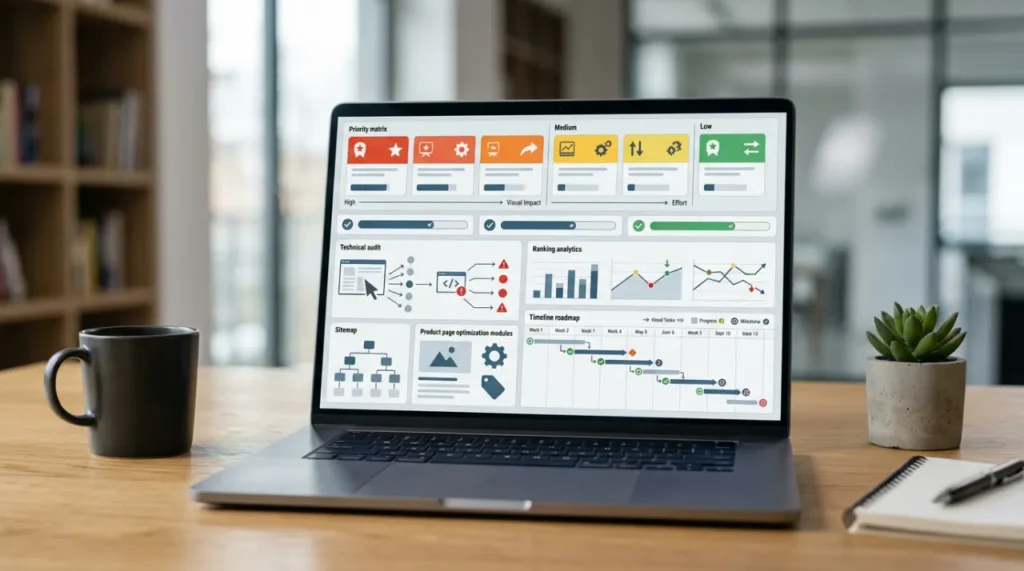
SEO for Ecommerce: Priority Fix Matrix
These fixes should not be completed sequentially in order from 1 to 20. It must be followed by impact. This table demonstrates the quickest route to ranking changes.
| Fix | Impact | Effort | Start |
| Fix 2: Crawl errors | High | Very low | Week 1 |
| Fix 1: XML sitemap | High | Low | Week 1 |
| Fix 3: Variant duplicate content | High | Low | Week 1 |
| Fix 15: Image alt text | Quick win | Very low | Week 1 |
| Fix 9: Breadcrumbs + schema | Quick win | Low | Week 1 |
| Fix 11: Title tags | High | Medium | Week 2-3 |
| Fix 12: Category page content | High | Medium | Week 2-3 |
| Fix 10: Unique product descriptions | High | High | Week 2-4 |
| Fix 4: Core Web Vitals | High | Medium-high | Week 2-4 |
| Fix 13: Product schema | Medium | Medium | Week 3-4 |
| Fix 18: Reviews + schema | High | Low setup | Month 1-2 |
| Fix 16: Content clusters | High | Ongoing | Month 2+ |
| Fix 17: Thin page removal | High | Medium | Month 2 |
| Fix 5: Internal linking | Medium | Ongoing | Month 2+ |
| Fix 7: Site architecture | High | High | Month 2 |
| Fix 14: Long-tail keywords | Medium | Ongoing | Month 2+ |
| Fix 19: Backlinks | Medium | Ongoing | Month 2+ |
| Fix 8: URL structure | Medium | High | Month 3+ |
| Fix 6: Hreflang | Medium | Medium | If applicable |
| Fix 20: Faceted navigation | Medium | High | Month 3+ |
Week 1 rule: Apply Fixes #1, #2, #3, #9, and #15 in the first place. Easy but highly efficient measures. Google indexes most websites within 2 to 4 weeks. Your rankings will change in a month.
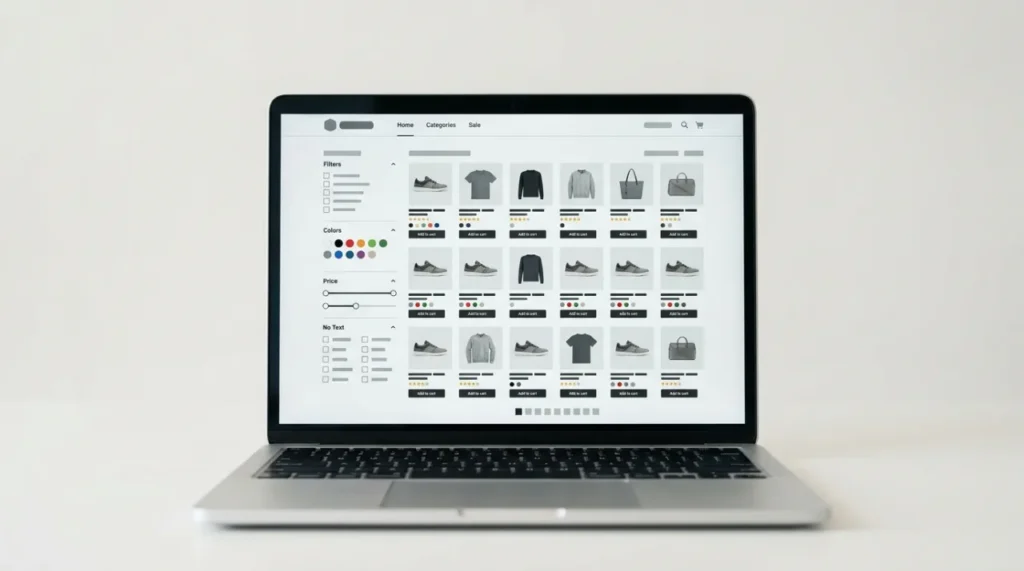
The Core Challenges That Make E-commerce SEO Different
Nearly half your competitors are failing Core Web Vitals right now. Only 54.6% of websites pass all three metrics simultaneously. SEO for ecommerce is different from regular SEO because e-commerce stores face unique structural challenges:
| Challenge | Why its hurt your ranking |
| Product variant URLs | Creates hundreds of near-duplicate pages competing for the same keyword |
| Faceted navigation (filters) | Generates thousands of thin, crawlable URLs, draining your crawl budget |
| Manufacturer product descriptions | Identical content across hundreds of competing stores that Google ignores you |
| Thin category pages | No content = no keyword signal = no ranking |
| Seasonal stock changes | Deleted product pages break backlinks and lose accumulated authority |
| Crawl budget waste | Google stops crawling deep pages, so your best products never get indexed |
Why Your Ecommerce Store Needs an SEO Audit Before Anything Else
Every effective SEO strategy for ecommerce websites starts with diagnosis, not guesswork. Spending time fixing issues before diagnosing is a waste of months. The truth is that most store owners chase content and link building while the crawl errors silently block the best content of their website from getting indexed.
53% of smartphone users abandon a page taking more than 3 seconds to load, but most businesses have no clue unless they do the audit. A good ecommerce website audit is not simply about highlighting the problems, but ranking them according to priority. Tackle them according to that hierarchy, and every hour counts.

SEO for Ecommerce in 2026: Three Shifts That Change Everything
Three shifts are reshaping SEO for ecommerce faster than any previous algorithm update. Stores that do not adapt their strategy in 2026 will lose organic traffic to competitors who do.
AI Overviews Are Stealing Informational Clicks
AI Overviews result in a 61% reduction in organic CTR for queries with AI Overviews. Organic CTR reduced from 1.41% to 0.64% on queries with AI Overviews.
What to do: Focus on transactional and product queries with AI Overviews appearing less. If it’s about informational pages, always begin every paragraph with a one-liner answer. Implement FAQ schema. Here’s how you’re going to show up in AI Overviews rather than below them.
Thin Product Pages Are Being Filtered Out
Google’s Helpful Content algorithm changes are eliminating thin product pages from competitive search results methodically. No original content, no reviews, no product purchase help and no rankings.
What Google rewards on product pages in 2026:
- Unique photography that doesn’t just reuse manufacturer pictures copied by 50 other websites
- Real reviews using AggregateRating schema markup
- Answering specific customer questions about the product through an FAQ
- On-site details about delivery, returns, and availability
AI Shopping Tools Are a Real Discovery Channel Now
Products recommended by ChatGPT and Perplexity are taken from indexed webpages. For products to be included in AI-generated shopping results, make sure that webpages are indexable, use Product schema with price and availability information, and get brand mentions on third-party websites.