What Is On-Page SEO? The Plain English Guide For New Site Owners
Most of the people who struggle with rankings are not doing the wrong things. They are doing the right thing, but in the wrong order and missing the signals that matter more. This guide covers everything you need to know about on-page SEO, the most crucial signals in 2026 and a list of items you should check for each page.
What Is On-Page SEO? And why is it important?
On-page SEO is the practice of optimising the content and structure of a webpage so that search engines can understand what it is about and match it to the right search query.
All aspects of your page that you have complete control over, such as title, heading, content, images, links and even URLs, constitute on-page SEO. Backlinks and domain authority are not under your control, but every aspect of on-page is within your control from day one.
96.55% of websites get zero organic traffic from the Google search engine. It is not due to an inability to build quality backlinks. It is because Google cannot clearly determine what the page is about, who it is for, and whether it genuinely answers the query better than what already ranks.
When this is done right, Google knows exactly what page is about and matches it to the relevant queries. Users see the results that match their search, very clearly and click through. AI tools like Google AI overview, ChatGPT, Claude and Perplexity take your content and quote it as a direct answer.
Why On-Page SEO Matters More Than Ever In 2026?
Google’s March 2026 core update officially confirmed the discovery that SEO experts have made: Information gain is now a named ranking signal. This means that it is not enough for your content to contain information about some subject; Google actually measures whether your page provides new information that was not provided by the five pages in the top results. Writing others’ five pages on your website will not help you rank.
The second one is connected to the topic of AI overview. According to the research conducted by Semrush, 76.1% of URLs that were included in the AI overview were organically appearing within the first 10 Google search results. The approach to AI visibility optimisation and on-page SEO is absolutely identical.
AI Overviews now appear on most informational queries, including “what is on page seo.” They pull answers directly from pages. But only from pages structured so that a language model can extract a clean, declarative answer. A page with clear definitions, logical headings, and FAQ schema gets cited. An unstructured block of text gets skipped entirely.
What To Do First: On-Page SEO Optimisation Priority Order For New Sites
Every guide has 10-12 on-page factors. None of them tells you what order to do them in. That is why most of the people are spreading themselves too thin and fixing the wrong things first. Here is the actual priority order based on how Google crawlers see a page:
Title Tag and H1 First
This is the first sign that Google gets. Nothing that follows can make up for it if they do not clearly communicate the topic of the page and match the search intent of your target keyword.
Search Intent Match Second
Before you spend time on content depth, make sure your page format is in line with what users really want. If Google is ranking as a guide for your keyword and you have written a product page, the format difference will push the ranking down. No matter how well-written the content is.
Content Quality and Information Gain Third
This is where the March 2026 update stings the most. Competitive queries won’t rank shallow content on a topic at the same level as all of the other competitors. Each section requires at least one layer of content that your competitors missed.
URLs, Internal Links and Images AIt Text Forth
These are useful and take very little time. But fixing them on a page with a weak title and mismatched intent does almost nothing. Get the first three right, then return to these.
Schema Markup and Page Speed Fifth
High-impact visibility improvements and core web vitals. First, they have to rely on the content being solid.
The 12 On-Page SEO Factors
A Semrush study of over 800,000 pages revealed that pages ranking in position one consistently outperformed positions two to ten in three specific areas. That is the relevance of the title tag, content depth and internal linking density. These are not decorative factors. They are the measurable difference between ranking and non-ranking. There are the following on page seo techniques.
Title Tags
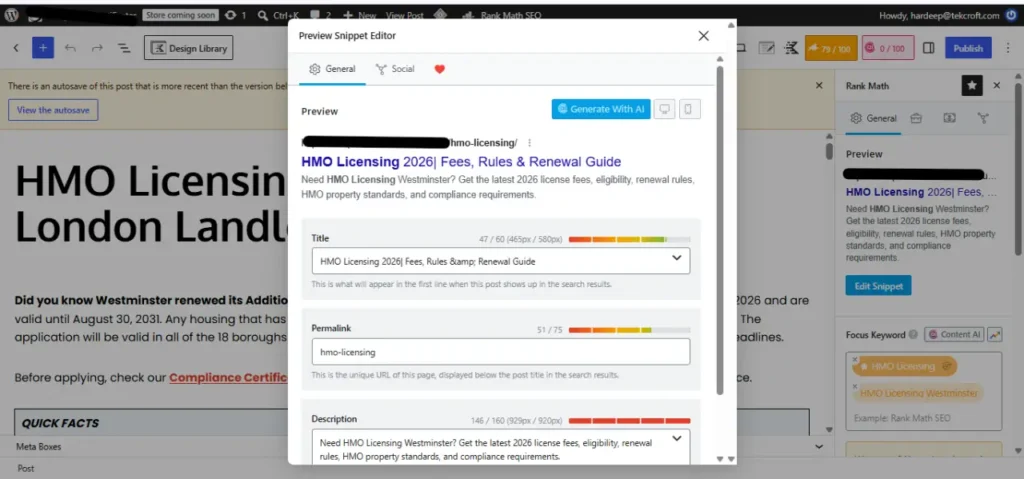
Your title tag is the single most crucial on-page element. It is what gets read by Google, Bing and every other AI before any other element on the page, before you copy, before your heading, before anything. Your title must be somewhere between 50 and 60 characters long. Titles shorter than 50 characters get rewritten by Google more frequently.
Use your primary keyword early on in the title. As the keyword comes before mobile truncation and carries slightly more positional weight in Google’s eyes. All pages require their own unique title tags. Having two pages with the exact title tag means Google can no longer determine if there are two unique pages or just two copies of the same page. This is how self-created keyword cannibalisation begins.
Writing a good title is necessary, but not enough. Your title has to sell the click as well. “What Is On-page seo?” is correct. “What is On-Page SEO? The Plain English Guide for New Site Owners very clearly explains to the reader what makes their result different from the other nine on the same page.
Meta Description
The meta description isn’t a direct ranking factor. It is a click-through factor, and the click-through rate affects ranking indirectly by signalling relevance to Google. Keep it under 105 characters. Anything longer gets cut off on mobile before the reader finishes the sentence. Start with an active verb.
Include your primary keyword naturally. Google bolds matched terms in the snippet, making your result stand out visually against every other result on the page. Do not write a description that summarises the article. Write one that tells the reader what they will be able to do after reading it. If you skip the meta description, Google pulls a random passage from your content. That passage is rarely the most compelling one.
H1 Heading
There should be exactly one H1 on every page. This is the headline which is seen first by visitors and serves as the second signal for Google after the title tag. While there is no requirement for the title tag and H1 to say the same thing, they have to refer to the same topic.
A title tag that says “On-Page SEO Guide” with an H1 that says “How To Build Backlinks” sends contradictory signals. Google resolves this confusion by trusting neither. Place your main keyword in the H1 close to its beginning. Ensure that it is less than 70 characters long.
Heading Structure
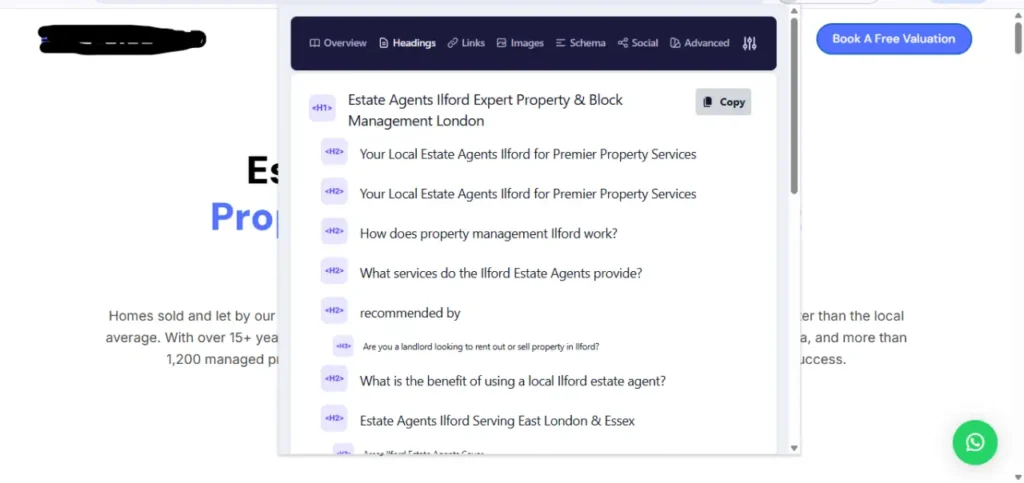
Headings are not formatting choices. Headings provide structure, which is used by Google to know what sub-topic your page deals with. Also, headings provide structure for the AI tools, enabling them to extract data in a structured form. The H2 headings represent the main topics on your page, whereas the H3 headings are for sub-sections within the H2 topic.
Skipping levels is discouraged because it does not make any sense to crawlers, even though it might appear normal to readers. For example, a page that contains information about every sub-topic under an appropriate heading will have a better chance of getting cited when an AI overview of your topic is generated.
Keyword Placement
Strategic keyword placement shows relevance without needing you to repeatedly use your keyword throughout the content. There are six places where your main keyword needs to be placed: the title tag, the H1 tag, within the first 100 words of the body content, at least once in an H2 heading, the URL slug, and the alt-text of an image. Six placements are enough; using your main keyword further doesn’t do anything positive for you.
Semantic keywords matter more than the raw keyword frequency. A page about your target topic that never mentions “title tags”, “search intent”, or “meta description” will rank below a page that covers those related entities. Cover the topic-related terms naturally, and keyword density takes care of itself.
Content Quality and Search Intent
This is where all the ranking possibilities can be gained or squandered, and this is precisely what was affected by the March 2026 update. Search intent is the reason behind the query. If we take the phrase “what is on-page SEO” as an example, its intent is informative; it means that the user is trying to understand the meaning of the term. A web page that right away tries to sell its services will never rank for that search term because it fails to meet the user’s expectations.
| Intent type | What the reader wants |
| Informational | To learn or understand |
| Navigational | To find a specific website |
| Commercial | To compare the option |
| Transactional | To complete an action |
URL Structure
The clear URL will give information about what to expect even before clicking on it for both users and search engines. Use short URLs, preferably with lowercase letters and hyphens. Avoid stop words like a, an, and, of, which do not contribute anything to the URL. Add your primary keyword. If you decide to change the URL after publishing and indexing, it should be done using a 301 redirect, which will cause you to lose your ranking momentum. Make sure the URL is correct before publishing.
In cases where AI systems mention citing a resource, the URL becomes visible to the user. The readable URL creates credibility. When the URL consists of numbers or session parameters, it indicates poor-quality content, and AI systems consider this during citation.
Internal Links
Internal links pass the authority from page to page and help Google understand the structure of your website. Internal links play the key role of distributing any authority you may have accumulated when your site has few external links.
A page without internal links that point to it is an orphan page right from the start. All pages that you create should have a minimum of one internal link that points to them. Be descriptive in your anchor text. This is not only a best practice but has direct implications for how Google perceives the page linked to:
| Anchor text | What it tells Google |
| On-page SEO checklist | Exact topic of the destination page |
| Click here | Nothing about the destination |
| “Best on-page SEO services UK” on every link | Triggers over-optimisation flag |
Image Alt Text
The alt text describes an image for search engines and for screen readers used by visually impaired users. The lack of alt text has a negative impact on the website from an accessibility and SEO perspective. Write what the image actually contains. In case the image shows the title tag screenshot from the Google search results, the alt text would be: “screenshot of title tag shown in Google search results”.
Write the keyword in alt text only when the image is relevant to the keyword. Keep alt text under 125 characters. Anything beyond that will get cut off as screen readers do not recognise anything beyond this character count.
Page Speed
Page speed is a proven ranking signal used by Google. In its research, Google discovered that when page load times move from 1 second to 3 seconds, there is an increase in the likelihood of users leaving at 32%, and at 6 seconds, the likelihood increases by 106%. Google tracks speed using three Core Web Vitals:
| Metric | What it measures | Target |
| Largest Contentful Paint (LCP) | How fast main content load | Under 2.5 seconds |
| Interaction to Next Paint (INP) | How fast the page responds to a click | Under 200ms |
| Cumulative Layout Shift (CLS) | How stable is the layout while loading | Under 0.1 |
Visit all three at pagespeed.web.dev. Three main wins will make any website faster. They include compressing images before uploading them in WebP format, allowing browsers to cache data by using the hosting control panel, and using a CDN if your viewership is located across several locations. All three can be done without writing any code.
Schema Markup
Schema markup is additional data placed in your HTML that describes to search engines precisely what kind of content the page is serving up, not just text, but whether the page is an article, a Q&A, a product listing, or even something else.
For AI Overviews, schema markup serves as one of the best cues you could send. When a page has Article schema markup, Author schema markup, and FAQ schema markup, Google and AI algorithms have a machine-readable guide of authorship, topic coverage, and question coverage.
E-E-A-T Signals
“E-E-A-T” means “Experience, Expertise, Authoritativeness, and Trustworthiness.” It is not a single score calculated by algorithms. It is the framework that Google’s quality raters use to assess whether the website is a reputable authority on its topic. In terms of a blog post, the features that signal high E-E-A-T include having an identifiable author whose qualifications are mentioned, a publication date and an update date, referencing reliable sources like Google Search Central blog posts.
ChatGPT, Claude, and Perplexity prioritise content that has been published by experts with identified names and credentials. The chances of citing content published anonymously are greatly reduced, even if it is otherwise good. Adding a name and a brief author biography will take just ten minutes.
Common On-Page SEO Mistakes To Avoid
Most SEO guides tell you what to do. These are the mistakes that quietly undo it.
- Check the SERP before optimisation. If the page format does not match that of the top-ranking pages, no technical solution will work.
- Two pages using the same title tag. Google catches a signal that both pages are about the same subject matter, resulting in one page being suppressed or both losing credibility.
- Using a keyword twenty times out of 1,000 words activates the quality filters of Google. Write about the topic comprehensively, and the keywords should appear naturally.
- Since March 2026, Google has been measuring Information Gain. Without adding any value, it is only competing on its domain authority, a factor not possessed by a fresh website.
- A webpage without an internal link pointing to it becomes invisible after the first crawl. A fresh page must be linked internally from an existing indexed page.
- Google crawls the mobile version of your website first. A slow mobile website fails in terms of ranking despite the loading speed of the desktop version.
- Google’s Helpful Content filter identifies heading tags stuffed with keywords and sentences with artificial structures.
Free On-Page SEO Tool, Everything You Need Without Paying a Penny
There is no need to pay for a premium subscription for good on-page SEO optimisation. Here are six tools to use, and they will help you with all that.
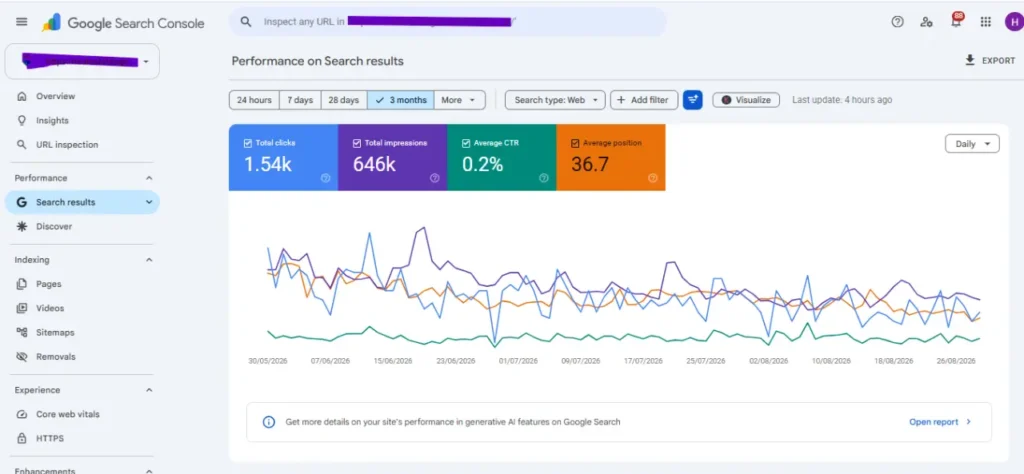
- Google Search Console displays ranking keywords, click-through rate, impressions, and indexing issues. Must be installed first.
- Google PageSpeed Insights detects Core Web Vitals on any page and ranks the problems in terms of importance.
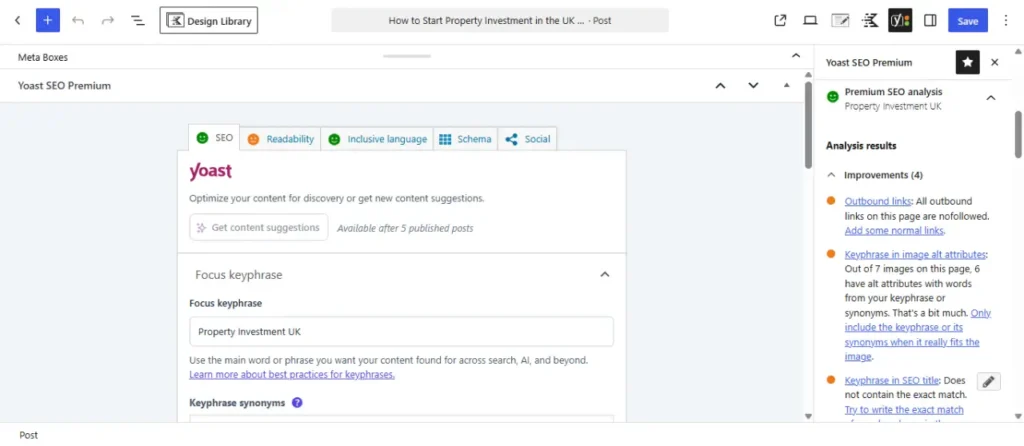
- Yoast SEO and Rank Math are free WordPress plugins that provide instant feedback regarding title tags, meta descriptions, and proper keyword use.
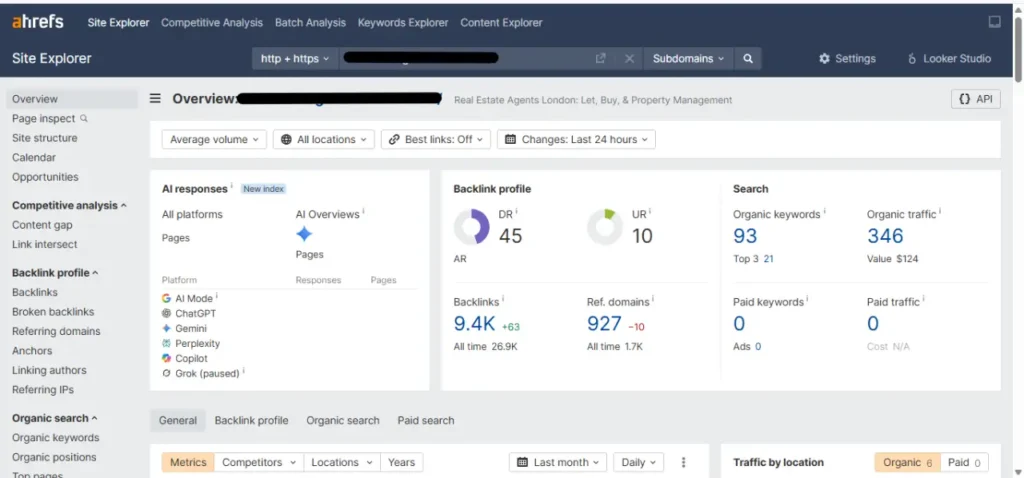
- Ahrefs Webmaster Tools website-wide analysis that highlights the lack of title tags, broken links, duplicated content, and absence of alt text. Free for verified websites.
- Google Rich Results Test validates your schema markup and gives exact results on how Google sees your structured data.
- AnswerThePublic helps to find out questions related to your theme from searchers. Useful for creating FAQ and People Also Ask sections.
On-Page SEO Checklist
Use this on-page search engine optimisation checklist before publishing, not afterwards.
- Search intent verified informational, commercial, navigational or transactional?
- Primary keyword & 5 – 8 semantic keywords selected
- Not targeting this keyword with any existing page on your website
- Title tag: 50 to 60 characters with primary keyword
- Meta description under 105 characters includes an active verb and CTA
- Single H1 header including primary keyword
- H2 for each section without missing any header levels
- Primary keyword included in the first 100 words
- Contains at least one unique insight/answer/example compared to the top 5 competitors
- Every paragraph passes the delete test.
- Semantic keywords appear naturally throughout the article
- URL is short, all lowercase, separated by hyphens, and includes keywords
- Alt text under 125 characters for every image
- Minimum of 3 internal links to related pages using descriptive anchor text
- Includes Article, Author and FAQ schema markup
- PageSpeed Insights check LCP < 2.5 seconds
- Page submitted to Google Search Console
- Link to the page created from at least 1 other existing page on the website